Manga Templates Ready to Remix
Browse three-page Japanese manga chapters across Shonen, Shojo, and Horror styles. Click any template to load its story, style, and 2:3 page layout into the studio so you can customize and generate your own version.
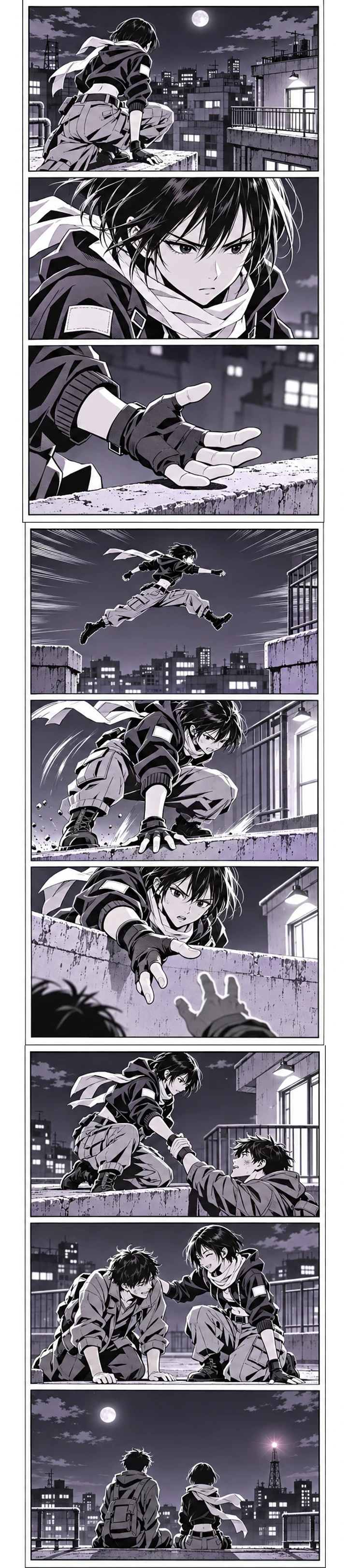
Rooftop Signal
A high-energy Shonen action chapter: a messenger leaps across a rooftop gap to rescue a teammate.
Story and settings
A short-haired rooftop messenger in a dark jacket and white scarf spots a hand reaching up from the opposite building ledge. On the next page, she leaps across the alley gap and stretches down to grab them. Finally, she pulls her teammate to safety beside the glowing rooftop signal light in crisp black-and-white Shonen ink.
Shonen · Paged Comic · 3 pages · Auto lettering · No reference image
Use this story and settings →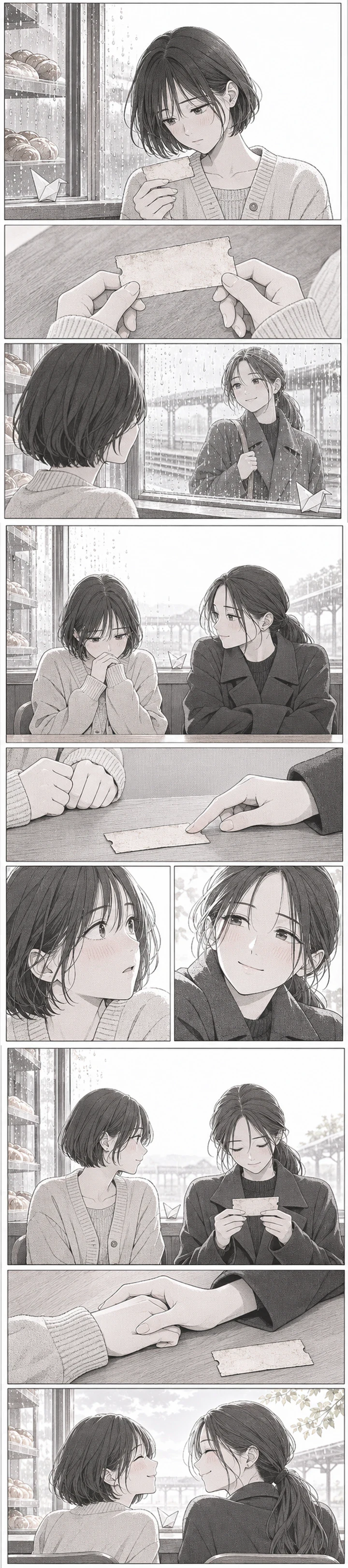
The Unused Ticket
A delicate Shojo conversation piece about two friends reuniting at a rainy station café over an old train ticket.
Story and settings
At a quiet station café on a rainy afternoon, a girl with a dark bob holds an unused train ticket while waiting for her friend. When her friend arrives, she slides the ticket across the table in a tense close-up on their hands. Her friend takes the ticket and gently holds her hand as the rain clears outside.
Shojo · Paged Comic · 3 pages · Auto lettering · No reference image
Use this story and settings →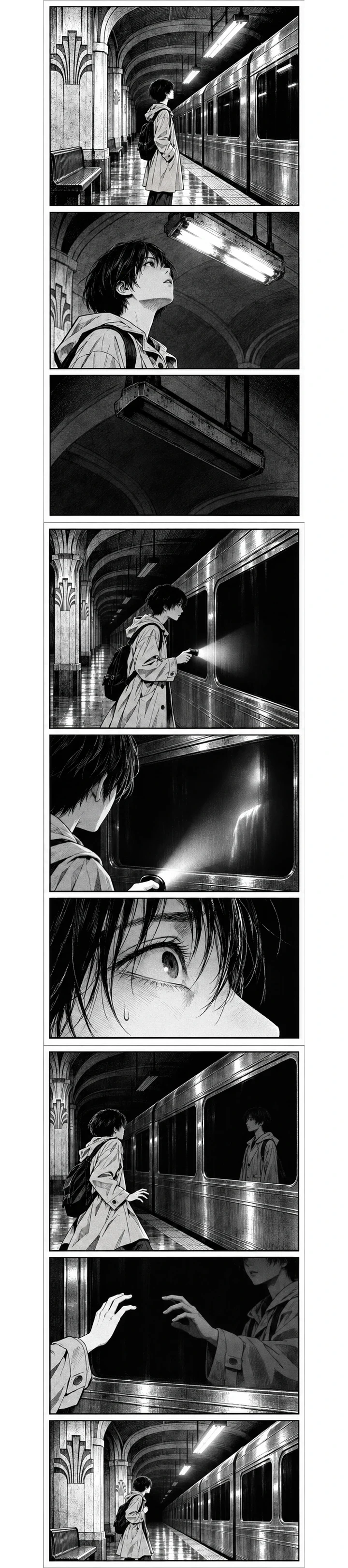
The Last Train Hasn’t Left
A stark black-and-white suspense chapter where a late passenger discovers something wrong in the train window.
Story and settings
A passenger in a pale raincoat waits beside a dark, motionless train just as the platform lights flicker out. Shining a small flashlight onto the window glass, they catch a silhouette staring back. Stepping away in alarm, they realize their own reflection in the glass is still holding out a hand.
Horror Manga · Paged Comic · 3 pages · Auto lettering · No reference image
Use this story and settings →What Is MakeMyOC’s AI Manga Generator?
A 2:3 Japanese-style comic page studio on MakeMyOC built for multi-panel pacing, dramatic page turns, and crisp ink aesthetics.
Unlike single-image anime generators that leave you arranging panels manually, MakeMyOC’s AI Manga Generator composes complete 2:3 portrait pages with Shonen ink styling ready out of the box—complete with panel gutters and dialogue lettering.
01
Full 2:3 multi-panel pages, not isolated frames
Defaults to Paged Comic with varied panel sizes for dramatic page-turn reveals, plus structured Classic 2×2, 3 Rows, and L-Shape grids.
02
Shonen, Shojo & monochrome ink styling
Start with bold Shonen speed lines, switch to delicate Shojo close-ups or Horror Manga contrast, and specify black-and-white ink anytime.
03
Individual 2:3 sheets or stitched chapters
Arranged in left-to-right canvas order with automatic lettering, ready to download page by page or as one ordered PNG.
How to Make Manga Pages in 3 Steps
Turn a scene or character idea into printable-feel 2:3 manga pages in minutes—no drawing skills required.
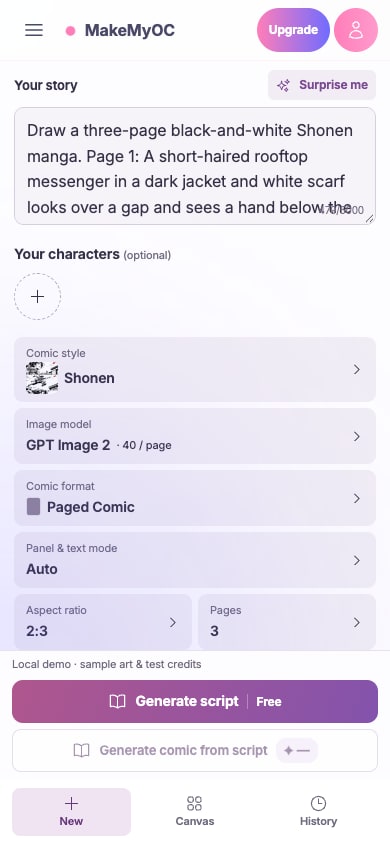
Write your scene with Paged Comic selected
Use the left panel on desktop or tap New on mobile. Describe what happens, pick 3, 5, or 8 pages, and keep Paged Comic and Shonen selected (or pick Shojo or Horror Manga before starting).
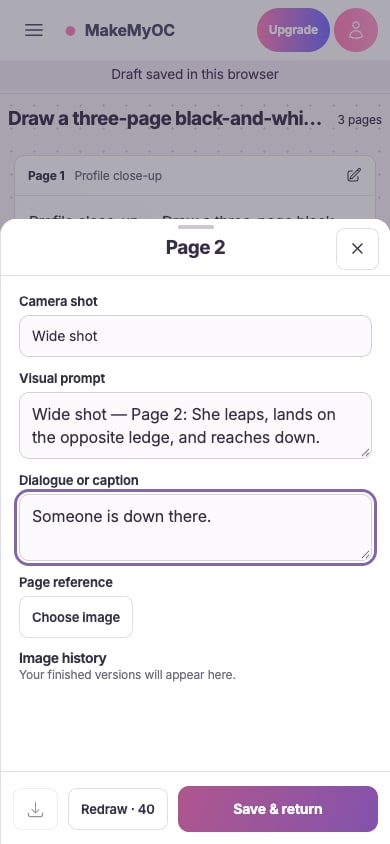
Generate the script and refine each page
Sign in and click Generate script for free. Open any page to adjust its shot, visual prompt, or dialogue so your punchline or reveal lands cleanly before spending credits.
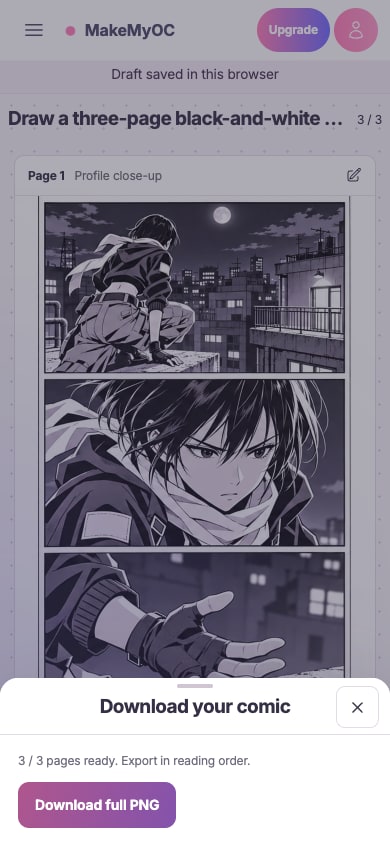
Draw the pages and download as PNG
Review the credit total on Generate comic from script and render your pages. Download any single 2:3 page from the viewer, or open Share on desktop (More → Share / Download on mobile) for the full stitched PNG.


What You Can Do with Our AI Manga Generator
Everything you need to storyboard, ink, revise, and export Japanese-style manga chapters from one workspace.
Flexible 2:3 page and panel layouts
Paged Comic varies panel sizes naturally across each 2:3 portrait page for dramatic reveals. Prefer structured beats? Switch to Classic 2×2, 3 Rows, or L-Shape—the studio handles panel flow and dialogue lettering automatically.
Switch between Shonen, Shojo, Horror, and 29 styles
Start with bold Shonen ink and speed lines, soften into Shojo emotion and delicate linework, or go dark with Horror Manga suspense. Ask for black ink on white in your prompt whenever you want classic monochrome pages.
Keep your OC consistent across chapters
Upload a character portrait or pull in any OC saved on MakeMyOC, describe signature details like a scarf or hairstyle in the script, and click Continue next chapter to reuse the same cast in new scenes.
Free script edits, single-page redraws, and PNG export
Fix dialogue or pacing in the script at zero cost. After rendering, redraw only the page that missed the mark while keeping earlier versions in Image history, then export individual 2:3 PNGs or the full chapter.
What Can You Create with the AI Manga Generator?
From fast-paced battle choreography to quiet character moments and suspense one-shots, match the style to your story.

Draw high-energy Shonen action & rescue scenes
Stage rooftop chases, sword clashes, or dramatic saves with bold blacks and speed lines. Describe where the character leaps from and lands, then check the 2:3 page flow before rendering.

Illustrate quiet Shojo dialogue & emotional pauses
Capture unspoken tension, heartfelt confessions, or slice-of-life talks with close-ups on eyes and hands. Pick Shojo style and keep dialogue concise so expressions carry the scene.

Create monochrome horror & mystery one-shots
Turn urban legends, spooky tabletop RPG twists, or psychological suspense prompts into moody black-and-white manga pages with high-contrast shadows and dramatic page-turn reveals.
What does a finished comic cost?
Write the script free after sign-in. Drawing costs 40 credits per page, or 120 for 3 pages. Starting from zero, the smallest purchase is $5.00 USD for 1,250 credits.
Subscription Plans
Only one active subscription is allowed at a time.
4 plans to compare
↔ Swipe horizontally or use the arrows to see every plan
Three pages use 120 credits, eight use 320, and redrawing one costs 40. No subscription is required. New accounts receive 10 credits. An eligible free daily check-in adds 60. Together they cover 1 page with 30 credits left.
Prices in USD. Monthly and annual plans renew on their billing cycle. One subscription can be active at a time. Chapter counts use one credit grant and assume no redraws, other spending or check-in rewards. The drawing button quotes only unfinished pages. Compare plans and credit packs
Questions about making manga pages
Can I generate classic black-and-white manga pages?
Does Paged Comic support right-to-left Japanese reading order?
Can I edit dialogue bubbles or fix just one panel?
How do I keep the same manga character across multiple pages or chapters?
Can I download individual manga pages as well as the full chapter?
About MakeMyOC
MakeMyOC is an AI creative platform built for original character (OC) creators and comic storytellers.
Beyond this comic studio, MakeMyOC connects your entire OC workflow in one account: design characters in OC Maker or 15+ fandom generators, save them to My Library, and reuse the same cast across Webtoon, Manga, Manhwa, AI Anime Generator scenes, and Animation Maker clips—using flexible credits with no forced subscription.
Explore More Comic and Character Tools
AI Comic Generator
Choose from all comic formats and art styles in the main studio.
AI Webtoon Generator
Build a vertical episode one scene at a time and download it as a long PNG.
AI Manhwa Generator
Draw expressive Korean-style scenes in colour and keep your original cast through the chapter.
OC Maker for original characters
Design the cast before drawing the first scene.
AI Anime Generator
Develop a standalone character illustration or a reference pose.
AI Anime Video Generator
Bring a finished comic scene into a short animation.
Turn Your Story into Manga Pages
No drawing tablet needed—drop in a scene to generate your 2:3 manga script for free, and pick up any saved draft right where you left off.