Webtoon Templates Ready to Remix
Read these three-panel vertical strips from top to bottom, then click any template to load its story, style, and layout straight into the studio. Sample strips use original house illustrations—edit anything you like before generating.
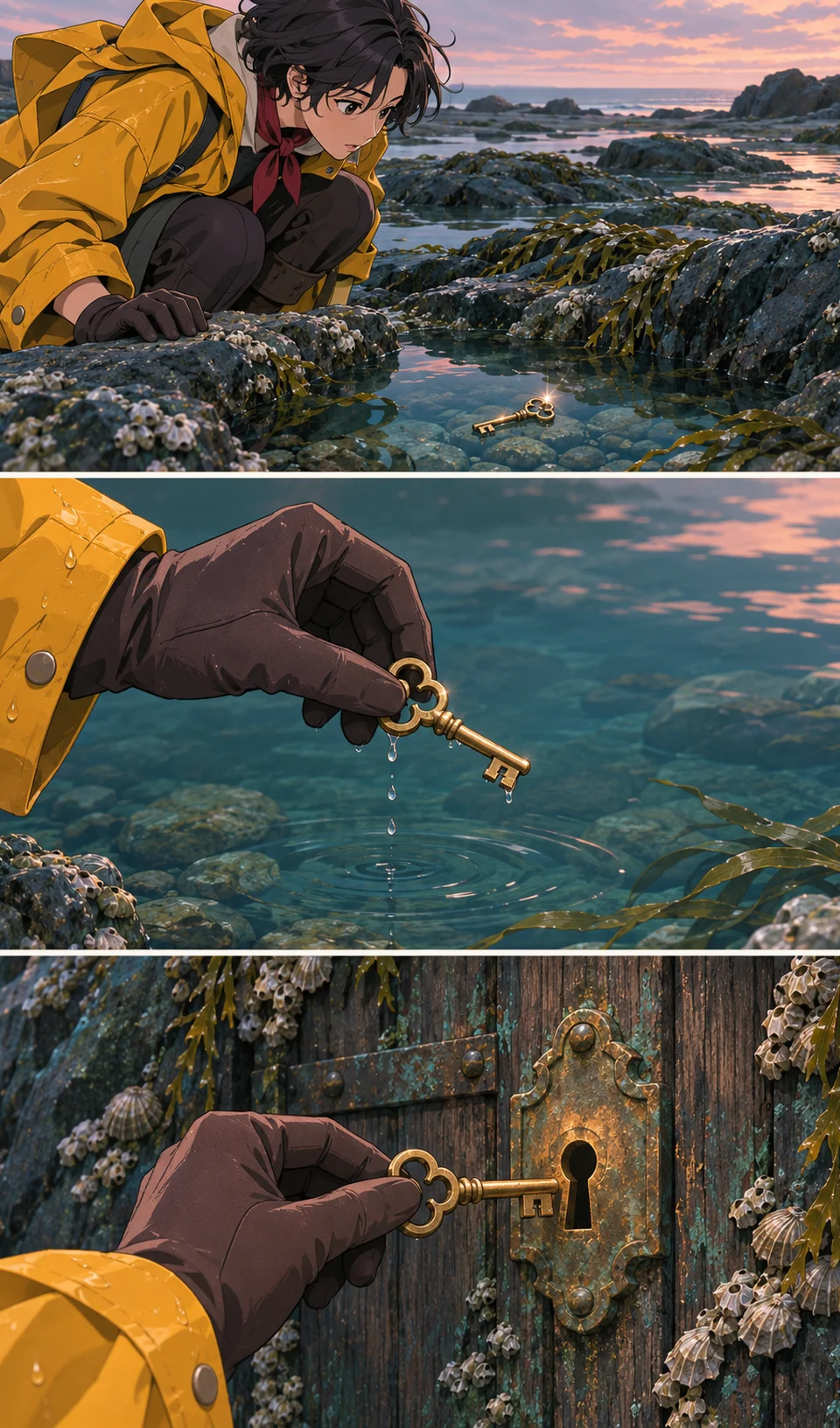
The Door at Low Tide
A moody Korean-webtoon mystery: a brass key in a tide pool leads to a hidden door in the seawall.
Story and settings
A lighthouse keeper in a mustard yellow raincoat spots a glinting brass key in a rocky tide pool at dusk. In a quiet close-up, their gloved hand lifts the dripping key out of the clear water. In the final scene, they hold the key up to an ancient barnacle-covered wooden door hidden right inside the dark seawall.
Korean Webtoon · Webtoon · 3 pages · Auto lettering · No reference image
Use this story and settings →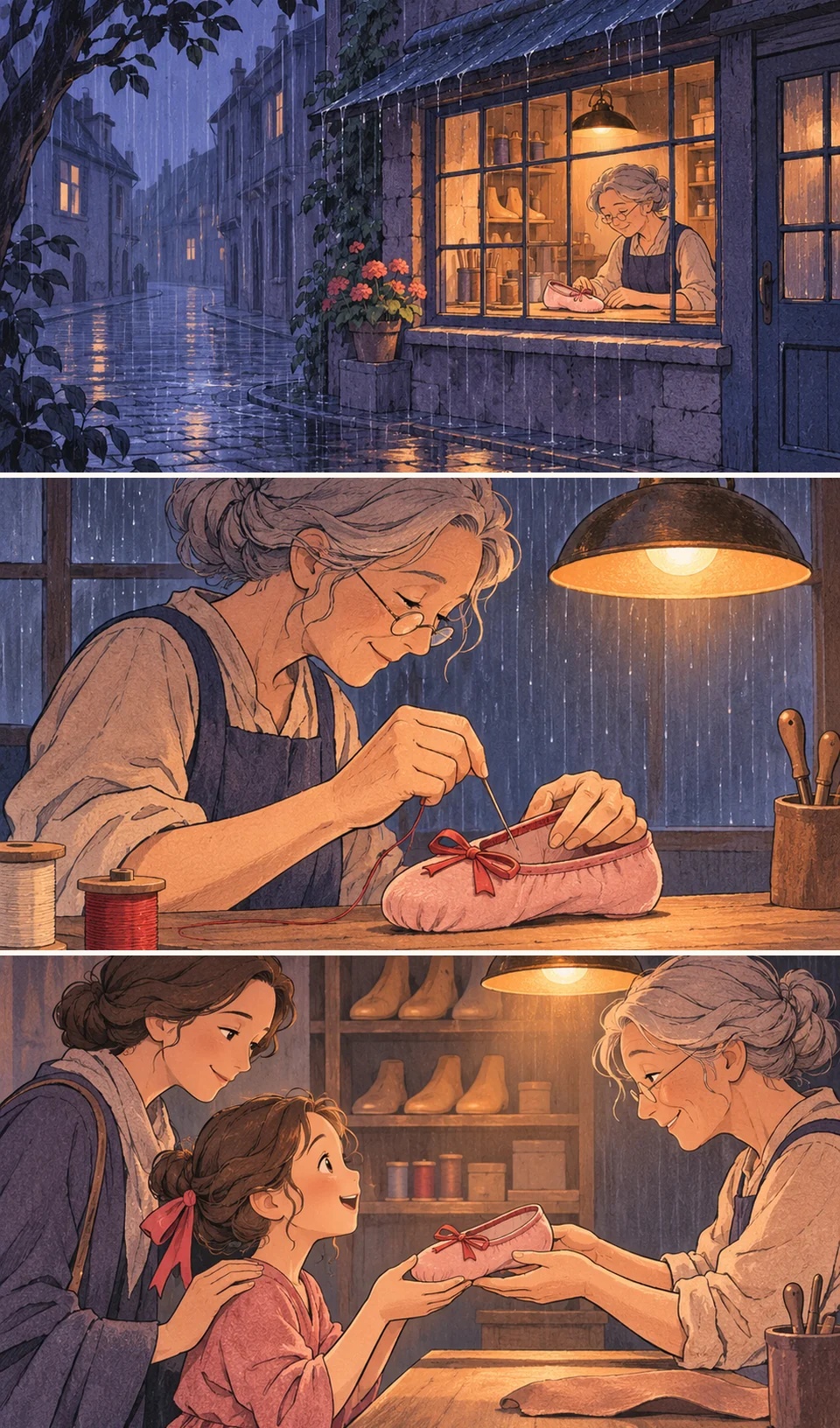
The Light in the Window
A warm indie-comic vignette following a late-night cobbler finishing a child’s ballet shoe in the rain.
Story and settings
On a quiet rainy night, a small cobbler’s shop glows warm amber on a blue cobblestone street. Inside under the lamp, an elderly artisan stitches the final red ribbon onto a tiny dusty-pink ballet shoe. The next moment, a delighted little girl and her mother smile at the counter as the cobbler hands back the repaired shoe.
Indie Comic · Webtoon · 3 pages · Auto lettering · No reference image
Use this story and settings →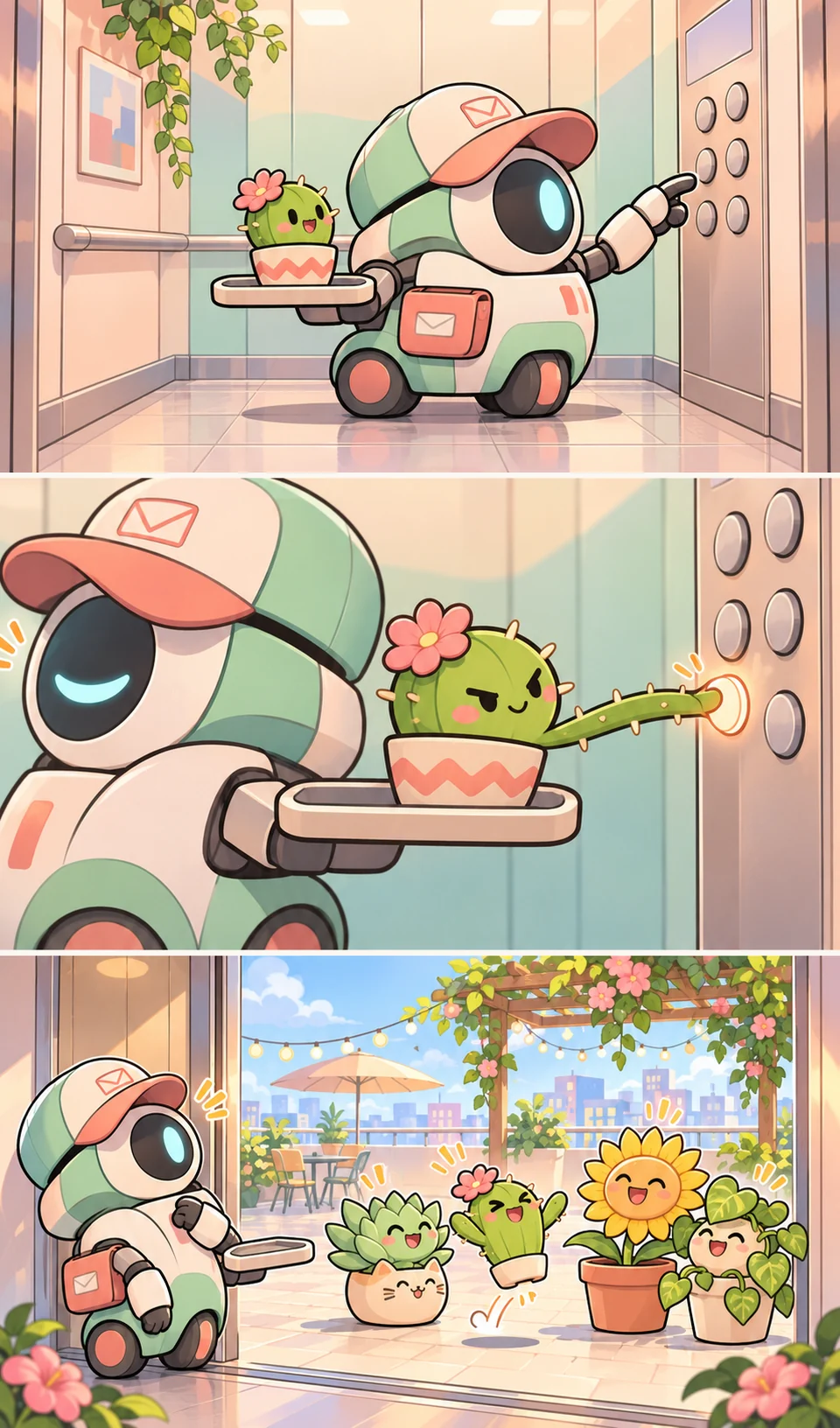
Third Floor, Please
A bright chibi comedy strip where a sneaky potted cactus hijacks a delivery robot’s elevator ride.
Story and settings
Inside a pastel apartment elevator, a cute mint delivery robot reaches for the buttons while carrying a small potted cactus on its tray. While the robot looks away, the cactus stealthily stretches out a tiny arm to press the rooftop button. The doors slide open onto a sunny rooftop garden, and the cactus leaps joyfully toward its plant friends as the robot stares in surprise.
Chibi · Webtoon · 3 pages · Auto lettering · No reference image
Use this story and settings →What Is MakeMyOC’s AI Webtoon Generator?
A vertical-scrolling comic studio on MakeMyOC built for continuous phone reading and rapid episode pacing.
Instead of generating separate comic book grids that readers have to pinch-and-zoom on a phone, this studio stacks cinematic wide beats into one top-to-bottom vertical strip—keeping important faces and dialogue centered so every scroll feels smooth.
01
16:9 wide shots built for vertical scrolling
Each beat renders a wide scene stacked top-to-bottom into one continuous PNG strip designed for thumb scrolling on phones.
02
Vertical layout decoupled from art style
Starts in crisp Korean Webtoon style, while letting you pair the exact same scroll format with Chibi, Indie Comic, or any of 29 named styles.
03
Flexible 3-, 5-, and 8-page episode pacing
Pick 3 beats for quick social strips, 5 pages for a serialized opener, or 8 pages when a story needs room to breathe.
How to Make a Webtoon in 3 Steps
Go from a rough scene idea to a vertical scrolling episode you can read and share on your phone.
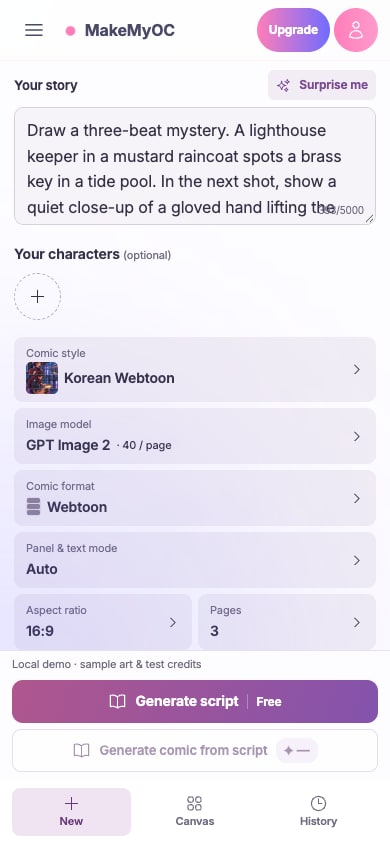
Write your scene and generate a script
Use the left panel on desktop or tap New on mobile. Describe what happens, pick 3, 5, or 8 pages, and keep Webtoon selected. Sign in and click Generate script to break your idea into editable beats for free.
Fine-tune the script, then draw the episode
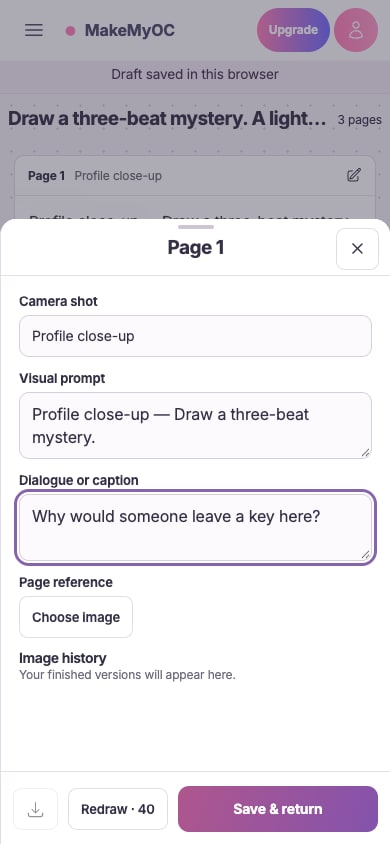
Click any page to adjust the shot, visual description, or dialogue before spending credits. When it reads right, click Generate comic from script—the button shows the exact credit total upfront.
Download your vertical PNG strip
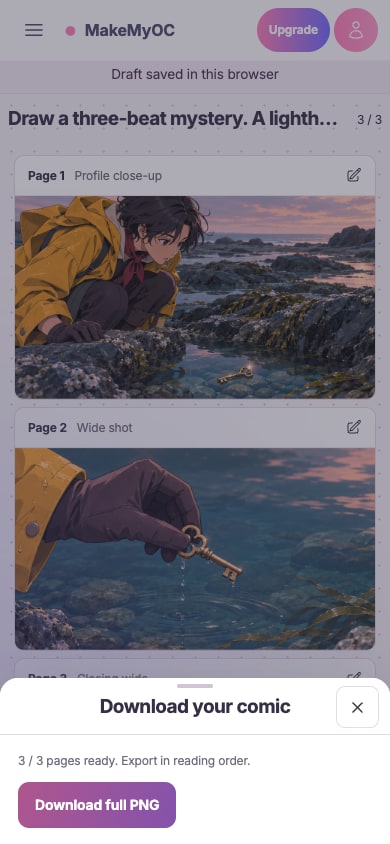
Once all pages finish rendering, open Share on desktop or More → Share / Download on mobile and select Download full PNG. Your panels are stacked cleanly in reading order for instant phone scrolling.


What You Can Do with Our AI Webtoon Generator
Built specifically for vertical scrolling stories, with full control over characters, dialogue, and individual panels.
Vertical scroll layout built for phone reading
Webtoon mode stacks wide, cinematic 16:9 scenes into one seamless vertical flow, paired with our crisp Korean Webtoon art style by default. Prefer another vibe or classic multi-panel pages? Switch styles or layouts anytime.
Keep your OC consistent across episodes
Start with text alone, upload a character portrait, or pull in any OC you already saved on MakeMyOC. When you finish an episode, hit Continue next chapter to carry the same cast and visual style into the sequel.
Edit scripts for free and redraw just one page
Tweak dialogue, pacing, and camera angles in the script before drawing anything. If a rendered panel misses the mark, redraw that single page instead of starting over—your other pages and image history stay intact.
Export a continuous long PNG or individual panels
Save the entire episode as one stitched vertical PNG for easy sharing, or download individual pages from the editor. Ready to publish on WEBTOON Canvas or Tapas? Resize or slice your PNG to match their latest upload specs.
What Can You Create with the AI Webtoon Generator?
Whether you are launching an OC series, posting a quick gag, or visualizing a favorite novel scene, pick the setup that fits your story.

Launch an ongoing webtoon for your OC
Bring your original character to life in a real serialized opener. Attach your OC portrait, pick Korean Webtoon and 5 pages to introduce the character and hook, then use Continue next chapter to keep the series going with the same cast.

Post quick vertical strips for social feeds
Turn a punchline, pet story, or slice-of-life moment into a scroll-stopping post for X, Instagram, or group chats. Pick 3 pages with Chibi or a light art style for a crisp setup-and-payoff strip you can export as one PNG.

Adapt a novel scene or fanfic moment into visuals
Paste a chapter excerpt, tabletop RPG highlight, or short-story turning point to see it storyboarded in minutes. Choose Indie Comic or Korean Webtoon to match the mood, edit lines in the script, and scale up to 8 pages for longer scenes.
What does a finished comic cost?
Write the script free after sign-in. Drawing costs 40 credits per page, or 120 for 3 pages. Starting from zero, the smallest purchase is $5.00 USD for 1,250 credits.
Subscription Plans
Only one active subscription is allowed at a time.
4 plans to compare
↔ Swipe horizontally or use the arrows to see every plan
Three pages use 120 credits, eight use 320, and redrawing one costs 40. No subscription is required. New accounts receive 10 credits. An eligible free daily check-in adds 60. Together they cover 1 page with 30 credits left.
Prices in USD. Monthly and annual plans renew on their billing cycle. One subscription can be active at a time. Chapter counts use one credit grant and assume no redraws, other spending or check-in rewards. The drawing button quotes only unfinished pages. Compare plans and credit packs
Questions about making vertical webtoons
What is the difference between Webtoon layout and Korean Webtoon style?
What file format do I get when I export my webtoon?
Do I need drawing skills or a character reference image to start?
Can I fix a typo or redo a single panel without regenerating the whole episode?
How do I continue my webtoon on another device?
About MakeMyOC
MakeMyOC is an AI creative platform built for original character (OC) creators and comic storytellers.
Beyond this comic studio, MakeMyOC connects your entire OC workflow in one account: design characters in OC Maker or 15+ fandom generators, save them to My Library, and reuse the same cast across Webtoon, Manga, Manhwa, AI Anime Generator scenes, and Animation Maker clips—using flexible credits with no forced subscription.
Explore More Comic and Character Tools
AI Comic Generator
Choose from all comic formats and art styles in the main studio.
AI Manga Generator
Plan panelled manga pages, pace a reveal across a page turn and redraw individual pages.
AI Manhwa Generator
Draw expressive Korean-style scenes in colour and keep your original cast through the chapter.
OC Maker for original characters
Design the cast before drawing the first scene.
AI Anime Generator
Develop a standalone character illustration or a reference pose.
AI Anime Video Generator
Bring a finished comic scene into a short animation.
Turn Your Next Idea into a Webtoon
No drawing skills needed—drop in a short scene to generate your script for free. Any draft in progress stays right where you left it.