Manhwa Templates Ready to Remix
Explore three full-color Korean manhwa chapters across romance, regression fantasy, and everyday drama. Click any template to load its story, style, and layout straight into the studio—edit anything you like before generating.
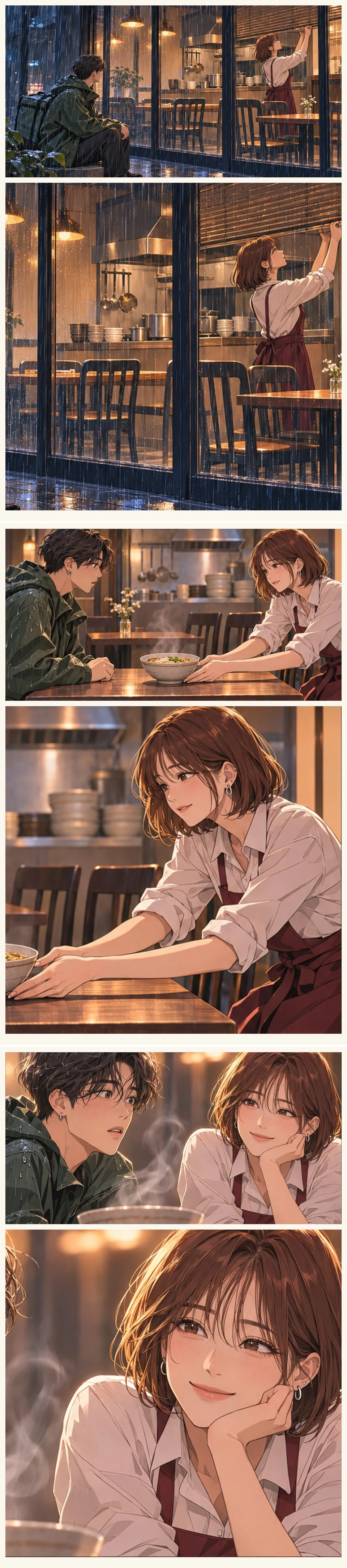
The Last Table
A warm slice-of-life romance chapter: a cook invites a soaked courier inside for a late bowl of noodles.
Story and settings
After closing time, a cook with a chestnut bob and dark red apron notices a courier in a forest green raincoat waiting outside in the rain. She slides a steaming bowl of noodles across the last table and says, “Stay until the rain stops.” Surprised, he meets her small smile and replies, “Only if you sit with me.”
Korean Webtoon · Paged Comic · 3 pages · Auto lettering · No reference image
Use this story and settings →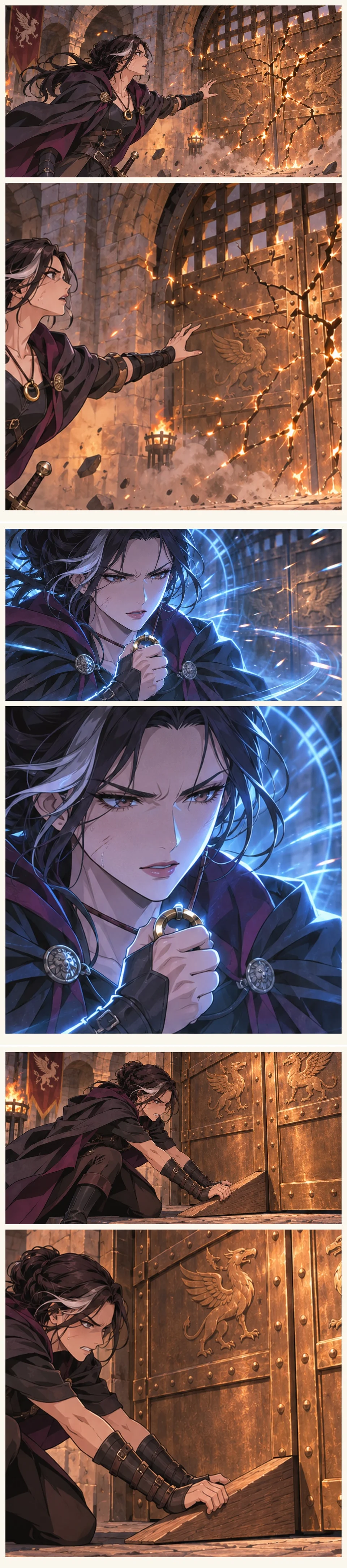
The Rewound Gate
A regression fantasy opener: a city guard uses a brass ring to rewind ten minutes before a bronze gate shatters.
Story and settings
A city guard with dark hair, a silver temple streak, and a charcoal-and-plum coat clutches a brass ring as the bronze gate cracks apart in flying sparks. Blue light bursts around her hand as time reverses ten minutes—“Ten minutes. That’s enough.” Back in warm torchlight, she wedges the gate shut before the attack hits.
Korean Webtoon · Paged Comic · 3 pages · Auto lettering · No reference image
Use this story and settings →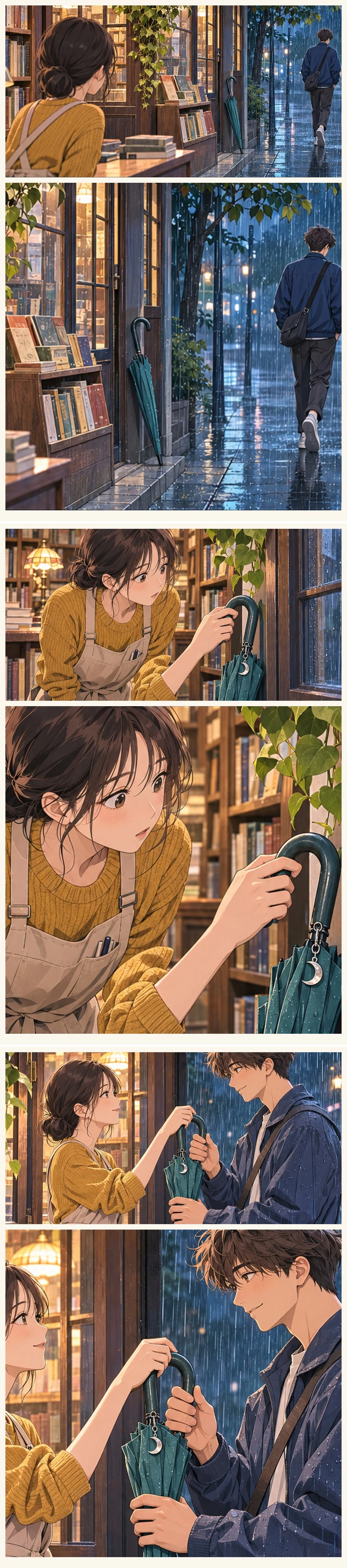
Rainy Evening Lost and Found
A gentle everyday vignette where a crescent charm on a forgotten umbrella sparks a quiet reunion.
Story and settings
Outside her cozy used bookshop on a rainy evening, a bookseller spots a teal umbrella left beside the door right after a customer steps into the downpour. Recognizing its silver crescent charm, she catches him at the open doorway with a warm smile and returns it: “You forgot the only thing you came in to escape.”
Korean Webtoon · Paged Comic · 3 pages · Auto lettering · No reference image
Use this story and settings →What Is MakeMyOC’s AI Manhwa Generator?
A full-color Korean comic studio on MakeMyOC tuned for expressive character acting, cel-shaded lighting, and romance or fantasy pacing.
MakeMyOC’s AI Manhwa Generator pre-selects the Korean Webtoon aesthetic—fine inks, luminous color planes, and dramatic rim light—inside a 2:3 paged canvas that flips to vertical scrolling whenever your story calls for it.
01
Full-color Korean linework & cinematic lighting
Pre-loaded with MakeMyOC’s Korean Webtoon preset for fine inks, clean cel shading, and expressive rim lighting that elevates character acting.
02
Switch between 2:3 pages and vertical scroll anytime
Opens in 2:3 Paged Comic for rich two-shot framing, and flips to vertical Webtoon format before drawing without losing your manhwa look.
03
Tailored for romance, regression & fantasy tropes
Built for dramatic warm-to-cool color shifts, emotional close-ups, and multi-scene casts across modern romance or fantasy arcs.
How to Make Manhwa in 3 Steps
Go from a character concept or novel scene to full-color Korean-style comic pages in minutes.
Describe your scene and pick your cast
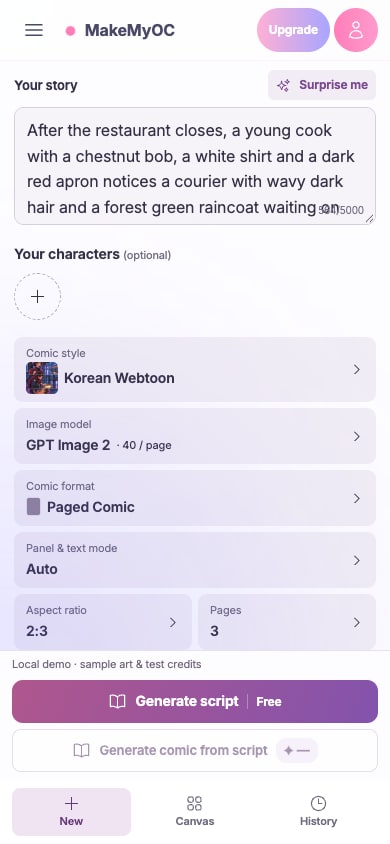
Use the left panel on desktop or tap New on mobile. Write the turning point, optionally upload a portrait or pick a saved OC, and keep Korean Webtoon selected (choose Paged Comic or switch to Webtoon scroll).
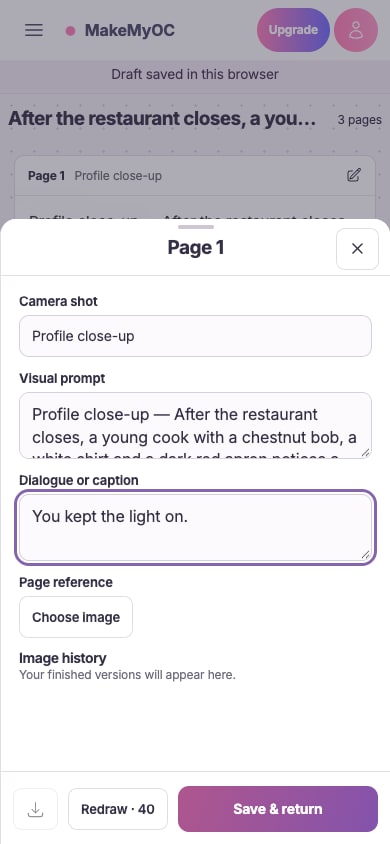
Generate the script and check every speaker
Sign in and click Generate script for free. Open each page to verify shots, expressions, and who says each line—giving leads distinctive traits in the prompt helps keep looks consistent.
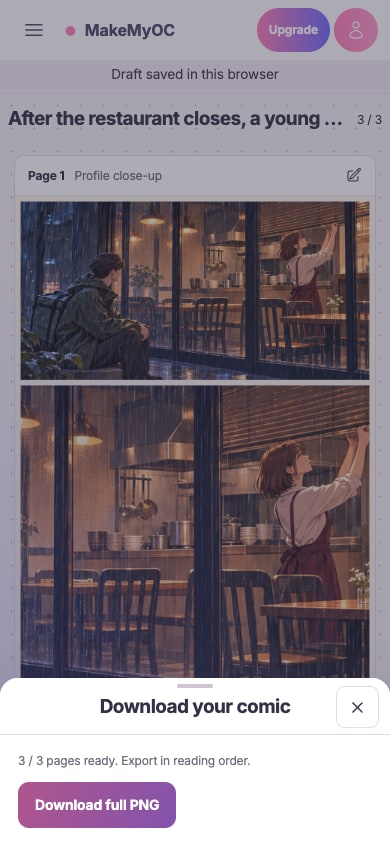
Render your pages and export PNGs
Review the credit quote on Generate comic from script and render. Save individual pages from the viewer, or open Share on desktop (More → Share / Download on mobile) to export the full chapter PNG.


What You Can Do with Our AI Manhwa Generator
Designed for expressive characters, dramatic lighting shifts, and multi-episode storytelling without drawing from scratch.
Full-color Korean art style with flexible layouts
Korean Webtoon style highlights clear facial acting, clean cel shading, and warm/cool lighting contrasts. Render as 2:3 Paged Comic sheets or switch Comic format to Webtoon for seamless vertical scrolling.
Keep your OC recognizable from page to page
Upload a character portrait or select any saved MakeMyOC character, and reinforce key visual anchors like hair color, coat, or signature accessories in your script. Hit Continue next chapter to extend the series.
Free script revisions and targeted page redraws
Edit dialogue and framing in the script for free before drawing. If one rendered page alters a costume detail or expression, tweak that page’s prompt and redraw just that page—Image history preserves prior renders.
Export single PNG pages or a stitched full chapter
Download any individual page at crisp resolution or export the whole chapter as one ordered PNG. Save your finished manhwa to your MakeMyOC account to revisit or continue it from any device.
What Can You Create with the AI Manhwa Generator?
From slow-burn romance tension to regression fantasy openers and heartfelt gifts, bring your favorite manhwa tropes to life.

Illustrate slow-burn romance & character chemistry
Stage lingering eye contact, rainy-night encounters, or quiet café conversations with warm rim lighting and expressive close-ups that capture every shift in emotion.

Kick off regression, hunter & fantasy webnovels
Visualize dramatic time-rewind moments, glowing magic artifacts, or palace intrigue scenes. Describe lighting shifts—like warm torchlight snapping into cool blue magic—right in your script.

Create slice-of-life vignettes & custom gift comics
Turn an anniversary memory, cozy shop encounter, or fanfic ship moment into a polished three-page full-color comic you can share online or print as a keepsake.
What does a finished comic cost?
Write the script free after sign-in. Drawing costs 40 credits per page, or 120 for 3 pages. Starting from zero, the smallest purchase is $5.00 USD for 1,250 credits.
Subscription Plans
Only one active subscription is allowed at a time.
4 plans to compare
↔ Swipe horizontally or use the arrows to see every plan
Three pages use 120 credits, eight use 320, and redrawing one costs 40. No subscription is required. New accounts receive 10 credits. An eligible free daily check-in adds 60. Together they cover 1 page with 30 credits left.
Prices in USD. Monthly and annual plans renew on their billing cycle. One subscription can be active at a time. Chapter counts use one credit grant and assume no redraws, other spending or check-in rewards. The drawing button quotes only unfinished pages. Compare plans and credit packs
Questions about making colorful manhwa
Can I make scrolling vertical manhwa as well as paged manhwa?
Do I need a reference drawing before starting?
How do I edit a line of dialogue or change an expression?
Can I fix just one page without paying to redraw the entire chapter?
What do I get when I download, and how do I continue across devices?
About MakeMyOC
MakeMyOC is an AI creative platform built for original character (OC) creators and comic storytellers.
Beyond this comic studio, MakeMyOC connects your entire OC workflow in one account: design characters in OC Maker or 15+ fandom generators, save them to My Library, and reuse the same cast across Webtoon, Manga, Manhwa, AI Anime Generator scenes, and Animation Maker clips—using flexible credits with no forced subscription.
Explore More Comic and Character Tools
AI Comic Generator
Choose from all comic formats and art styles in the main studio.
AI Webtoon Generator
Build a vertical episode one scene at a time and download it as a long PNG.
AI Manga Generator
Plan panelled manga pages, pace a reveal across a page turn and redraw individual pages.
OC Maker for original characters
Design the cast before drawing the first scene.
AI Anime Generator
Develop a standalone character illustration or a reference pose.
AI Anime Video Generator
Bring a finished comic scene into a short animation.
Bring Your First Manhwa Scene to Life
Write a turning point, pair it with an OC or reference portrait, and review your full script for free before spending a single credit.