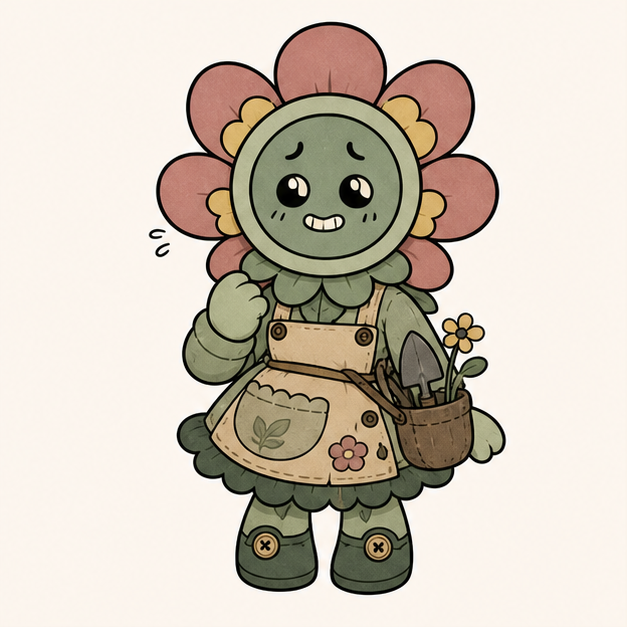
Button Bloom Helper
Dandy's World OC Maker prompt: original 2D toon OC, flower-button head, garden support role, nervous smile, rounded gloves, mint and coral palette, ability hook: calms nearby teammates.
Enter your OC idea and generate an original Dandy-style 2D Toon OC with a readable object-head silhouette, cute-eerie expression, soft palette, role cue, and ability hook.
See what the generator can create from simple OC inputs. Each original 2D toon example combines an object theme, role, expression, palette, and ability cue for a fan-made Toon OC profile.
Dandy's World OC Maker prompt: original 2D toon OC, flower-button head, garden support role, nervous smile, rounded gloves, mint and coral palette, ability hook: calms nearby teammates.

Dandy's World OC Maker prompt: original object-head Toon OC, lantern face, scout role, curious glowing eyes, small backpack, soft teal and amber colors, ability hook: reveals safe paths.
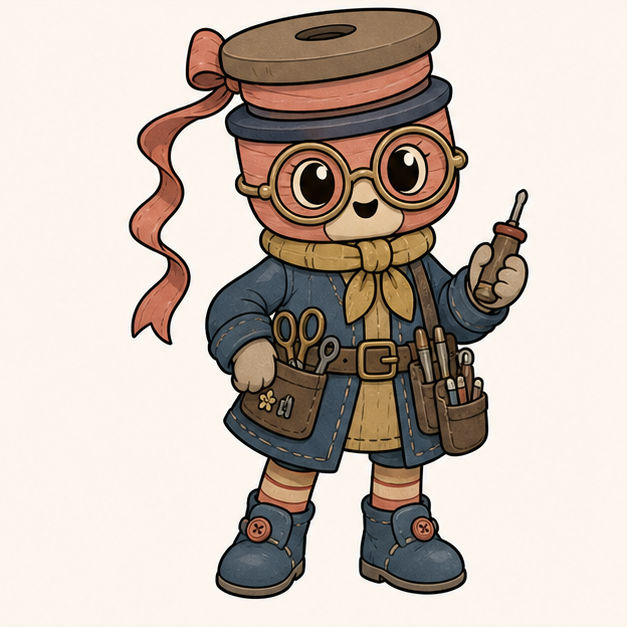
Dandy's World OC Maker prompt: original 2D toon OC, ribbon spool head, inventor role, big round glasses, tool belt, raspberry and blue palette, ability hook: repairs broken props.

Dandy's World OC Maker prompt: original 2D object-head mascot, pebble face, guard role, patch cape, simple shield, moss green and warm gray palette, ability hook: blocks one scare.
Dandy's World OC Maker is an AI tool for turning your original Toon OC idea into a usable character concept image.
Use this page when you want an original Dandy-style Toon OC, not a generic anime portrait or a polished 3D plush render. The generator is tuned for flat 2D character art, thick clean outlines, object-head silhouettes, soft colors, and cute-eerie mascot energy.
Start with the information you already have: an object-head idea, a role, a facial expression, a color palette, an ability hook, or the output you need, such as an avatar, OC profile, roleplay character, or story cast member.
The AI turns those inputs into a visual OC draft you can keep refining. A short prompt like "lantern-head scout with teal and amber colors, curious eyes, and a safe-path ability" gives the tool enough product context to make the result feel like a usable Toon OC concept.
This is not an official character copier. It works best when you combine your own object theme, role, palette, expression, and ability hook into a new original OC that fits the Dandy-style mood without copying names, faces, silhouettes, or signature prop combinations.
Use the generator as a simple AI workflow: describe the OC, add Dandy-style details, generate an image, then create a cleaner version or variation.
Write the core character idea in the prompt box: an original object-head, a role, or the use case you need, such as avatar art, OC profile art, or a roleplay character.
Add a few style cues that guide the AI output: 2D toon, thick clean outlines, soft palette, cute-eerie expression, object-head silhouette, role cue, and one ability hook.
Run the generator and use the first image as an OC draft. Keep the version with a clear character shape, readable face, original object theme, and an output format that matches your goal.
If the draft is close, change one input at a time: the object, role, palette, expression, ability, or output target. Generate a few versions and keep the one that works best.
Use Dandy's World OC Maker when you need a usable original Toon OC output, not only a loose character idea. Pick the output you want, then give the generator the object theme, role, expression, palette, and ability hook that fit it.
Generate a centered 2D object-head character with a clear face, soft palette, and simple background that can work as a profile image or small icon.
Create a full-body Toon draft with a role, personality cue, ability hook, and stat-card-ready details you can turn into an OC sheet.
Build an original helper, scout, inventor, guard, guide, or support Toon that fits a fan-made cast without copying official characters.
Run the same OC idea through small changes in object theme, expression, palette, or ability so you can compare usable versions quickly.
The page is most useful when the generated image becomes part of a complete OC, not just a one-off picture. Use the result as the visual base, then turn it into something you can reuse.
Save the version with the clearest object-head, face, palette, and pose. That image can become avatar art, profile-card artwork, a roleplay reference, or the visual anchor for a fan story character.
Write the character information next to the image: name, object theme, role, personality, ability hook, and short stats. This turns the AI result into an OC concept you can keep using across profiles, notes, and story drafts.
Create two or three variations only when they serve a real purpose, such as a cleaner avatar crop, a full-body OC profile image, or a slightly different expression for roleplay. Keep the strongest version as the main reference.
Keep the image where the object-head, face, colors, and role read clearly at small and large sizes.
Pair the image with a name, role, personality, ability hook, and short stat notes for an OC profile or character sheet.
Generate alternate versions for avatar crops, profile cards, expressions, or story references instead of endlessly rerolling.
Use another MakeMyOC page when you want a different fan-style character workflow.