Describe a drone type, LED visor, outfit, mechanical gear, and mood to create an original fan-made dark sci-fi drone OC.
Murder Drones OC Maker Examples
Use these original fan OC concepts to see how a role, LED color, silhouette, outfit, and signature tool can produce clearly different drone characters.
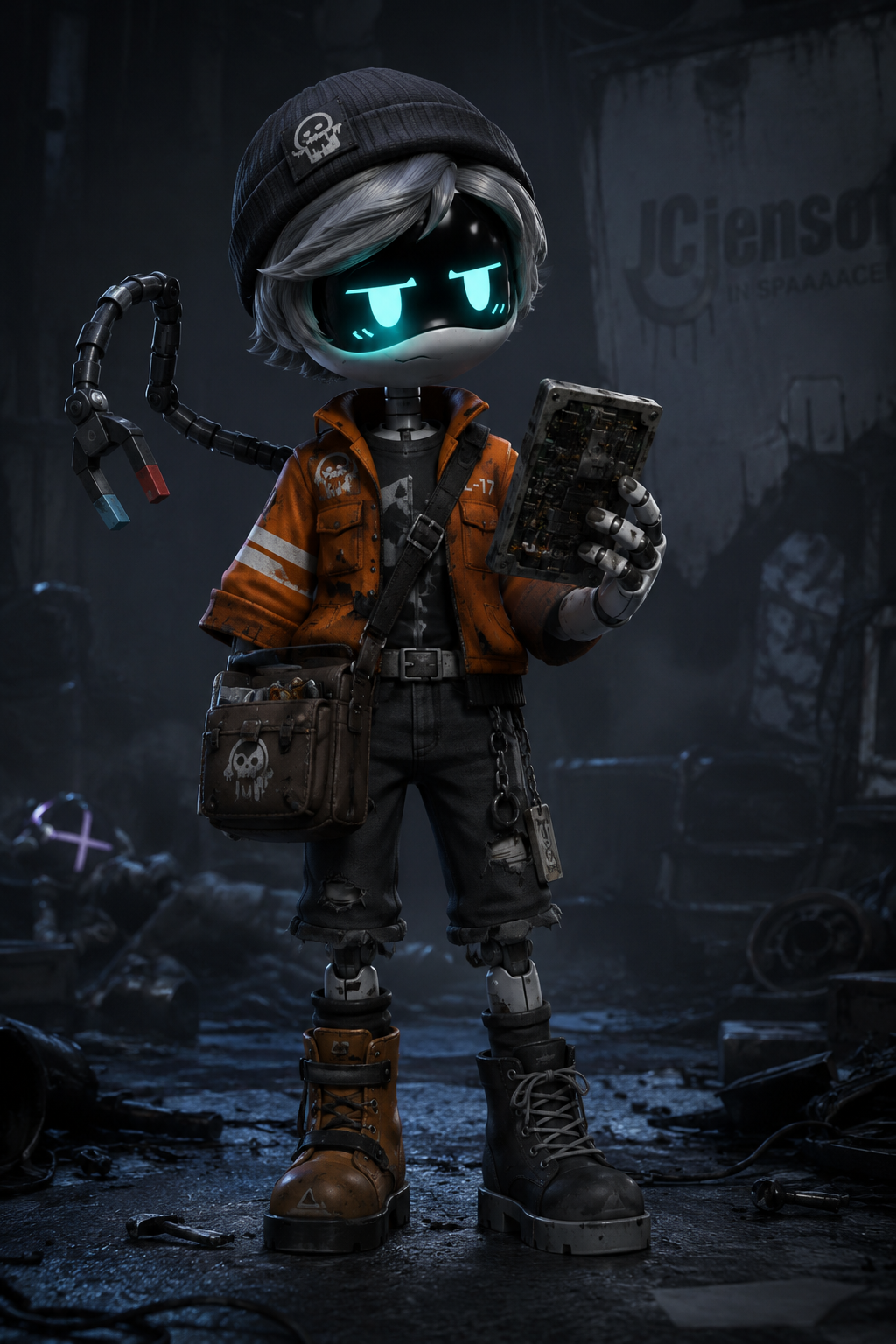
Cinder-04 — Worker Drone Salvage Mechanic
Murder Drones art style, 2D cartoon style, compact humanoid robot silhouette, teal LED visor with a cautious expression, burnt-orange utility jacket, magnetic repair arm, small parts satchel, asymmetrical work boots, holding a salvaged circuit panel, full body, readable single character design, no official character, no logo, no text, no watermark.
Nyx-8 — Disassembly Drone Night Scout
Murder Drones art style, 2D cartoon style, lean humanoid robot silhouette, amber LED visor with a focused expression, segmented mechanical wings, folding reconnaissance claws, slim sensor-tail apparatus, dark blue-gray flight jacket, quiet night scout role, full body, dark frozen industrial rooftop, readable single character design, no official character, no logo, no text, no watermark.
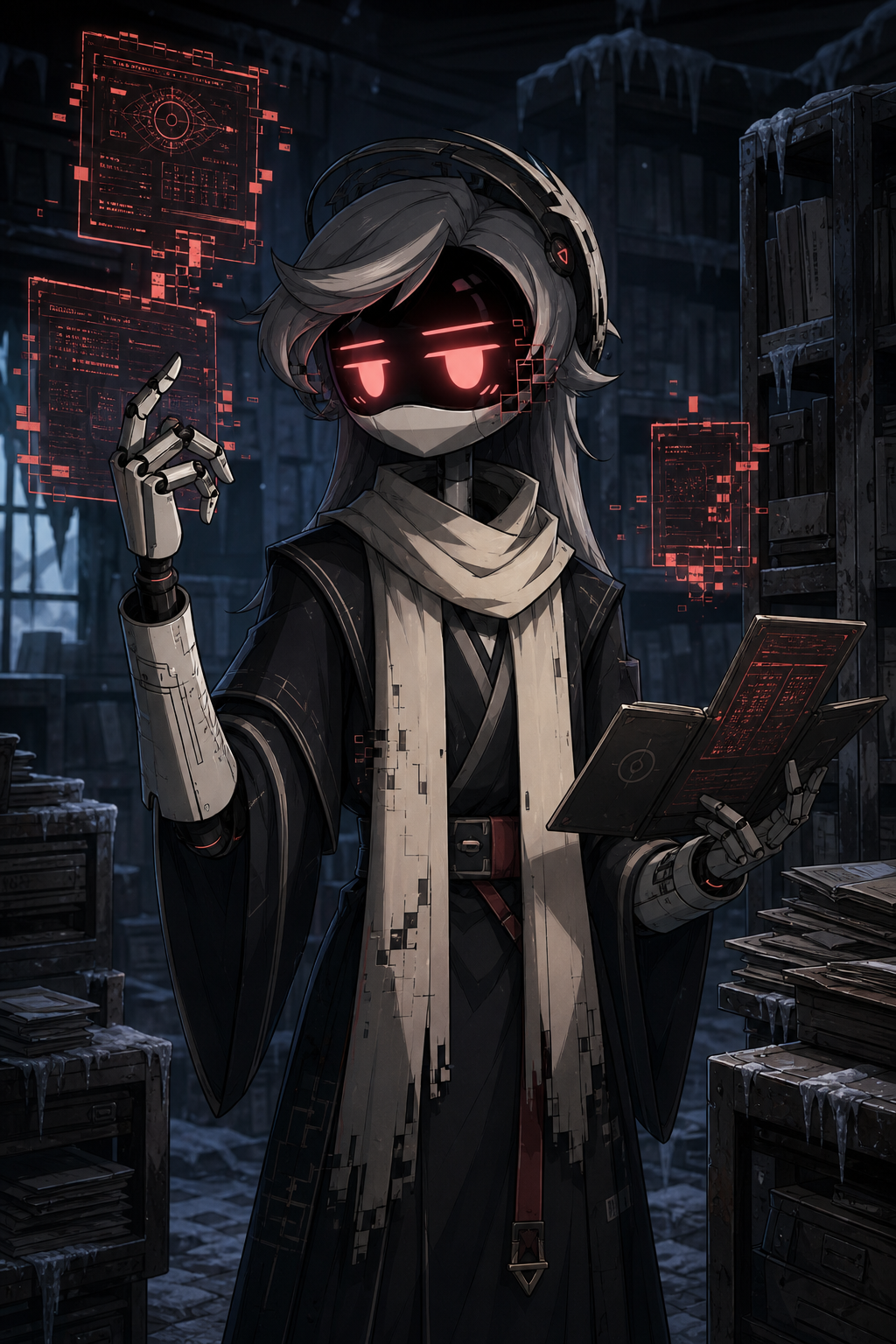
Oriole-12 — Solver-affected Archive Drone
Murder Drones art style, 2D cartoon style, slender humanoid robot silhouette, coral-red LED visor with a calm analytical expression, subtle original geometric glitch marks, long ivory scarf, dark archive robe, fine etched forearm lines, floating fragmented data panels, fold-out document tool, upper body to three-quarter character portrait, abandoned frozen records room, readable single character design, no official character, no logo, no text, no watermark.
Halcyon-R — Hybrid Rescue Drone
Murder Drones art style, 2D cartoon style, broad-shouldered humanoid robot silhouette, violet LED visor with a reassuring expression, white and charcoal rescue vest, compact stabilizer wings, non-weapon tow-tail tool, emergency medical compartment, old surface scratches, protective stance, full body, dim frozen maintenance bay, readable single character design, no official character, no logo, no text, no watermark.
What Is a Murder Drones OC Maker?
It is an AI character creator for turning your own drone idea into an original dark sci-fi robot concept.
Describe visible details such as a Worker, Disassembly, solver-affected, or original hybrid direction; then add an LED color, visor expression, role, outfit, mechanical accessories, and mood. The tool turns that input into an avatar-ready portrait or full-body character concept.
The result can become a visual anchor for an OC profile, fan art reference, roleplay character, or AU cast. A concise idea with a clear role and two or three distinctive features is enough to begin.
This is a fan-made, non-official tool for original characters. Give your drone a distinct designation, silhouette, color system, clothing, and signature gear instead of asking for an existing character copy.
How to Use the Murder Drones OC Maker
Build a useful prompt in four short steps, generate the first version, and refine only the details that need to change.
1
Choose a drone direction
Start with Worker Drone, Disassembly Drone, solver-affected drone, or an original hybrid. Treat the type as a functional starting point rather than a fixed official identity.
2
Describe visible details
Add the LED or visor color, body silhouette, outfit, mechanical accessory, tool or weapon, wings or tail device, expression, and pose.
3
Generate your OC
Tell the Murder Drones OC Maker whether you want a portrait, upper-body image, or full-body reference, then submit the prompt and review the result.
4
Refine one detail at a time
Keep the designation, silhouette, LED color, outfit, and signature gear stable. Change only one or two details such as the expression, equipment, palette, or background.
What Can You Create With This Drone OC Maker?
Choose the output you need first, then describe the framing and visible character details that make that output useful.
Avatar-ready drone portraits
Create a portrait or upper-body image that emphasizes the visor expression, head shape, LED color, and recognizable accessories.
Full-body character concepts
Show the complete outfit, mechanical limbs, wings, tail device, equipment, and stance in a readable single-character composition.
OC profile references
Use the result as a visual anchor for the character name, role, personality, abilities, equipment, and design notes.
AU and roleplay cast variations
Keep the core identity stable while testing a different mission state, expression, non-signature accessory, or environmental mood.
Turn One Result Into a Reusable Drone OC
Organize the strongest image and a few stable identity details so later variations still read as the same original character.
Save the clearest version first. Record the designation, drone direction, LED color, outfit, signature gear, personality, and role next to the image so the visual concept has a repeatable identity.
Create both a portrait or upper-body framing and a full-body framing when you need an avatar plus a broader character reference. Reuse the same core description for both outputs.
For an alternate version, change one small attribute such as the pose, background, expression, or mission equipment. Keep the final prompt with the result so you can return to the same design direction later.
Keep a stable identity
Reuse the designation, silhouette, LED color, outfit, and signature gear across every variation.
Save two useful framings
Keep one clear portrait for avatars and one complete full-body result for character reference.
Iterate with small changes
Adjust one attribute at a time so you can compare versions without losing the original drone OC.
Try Different OC Makers
Explore another MakeMyOC tool when you want a different fandom-inspired original character direction.
It turns a written character idea into an original dark sci-fi humanoid drone image. Describe the drone direction, LED visor, role, clothing, mechanical details, framing, and mood you want.
Can I create a Worker Drone or Disassembly Drone OC?
Yes. Use either as a high-level functional direction, then make the character original with a distinct LED color, role, outfit, silhouette, equipment, and personality.
What should I type into the Murder Drones OC Maker?
Include the drone direction, visor or LED color, role, outfit, mechanical accessory, expression, framing, and background. For example: “original amber-visor repair scout, compact wings, weathered utility coat, full body in an icy maintenance bay.”
Can the tool copy Uzi, N, V, J, or another official character?
No. The tool is designed for original fan OCs, not official character copies. Keep the broad mood or role you like, then change the identity, silhouette, palette, outfit, visor design, and signature gear.
Can I make an avatar and a full-body drone OC?
Yes. Ask for a portrait or upper-body framing when the visor and head details matter most, or request full body when you need the outfit, limbs, wings, tail, and gear visible.
How do I make my drone OC look less generic?
Give it a specific job, unusual LED color, readable visor expression, layered outfit, signature tool, old damage mark, or non-combat purpose. Two or three connected details usually work better than a long random list.
What can I use the generated drone OC for?
You can use it as a personal avatar, OC profile image, fan art reference, roleplay character, or AU concept. Check the rights and platform rules that apply before public or commercial use.
How do I keep the same character while making variations?
Keep the designation, LED color, silhouette, outfit, and signature gear unchanged. Modify only the pose, background, expression, or one accessory in each new prompt.