Start from a comic you can read
Read all three pages, then open the same story and settings in the editor. These local studio exports use our original illustrations and automatic lettering. In the live studio, keep the template’s style, choose another, or let Auto pick from the 29 styles when you generate the script.
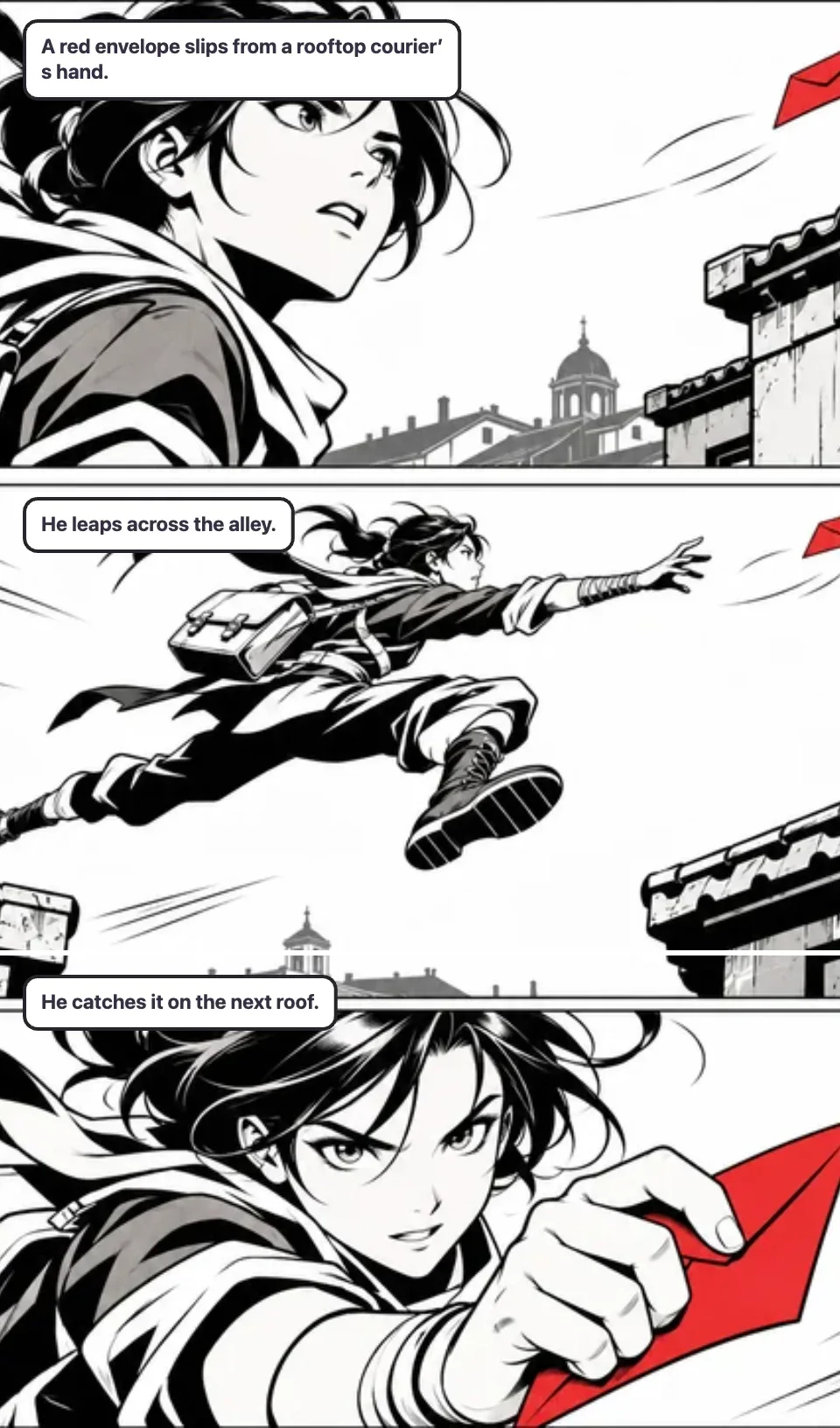
Special delivery
A red envelope slips from a rooftop courier’s hand. He leaps across the alley. He catches it on the next roof.
Shonen · Webtoon · 3 pages · Auto lettering · No reference image
Use this story and settings →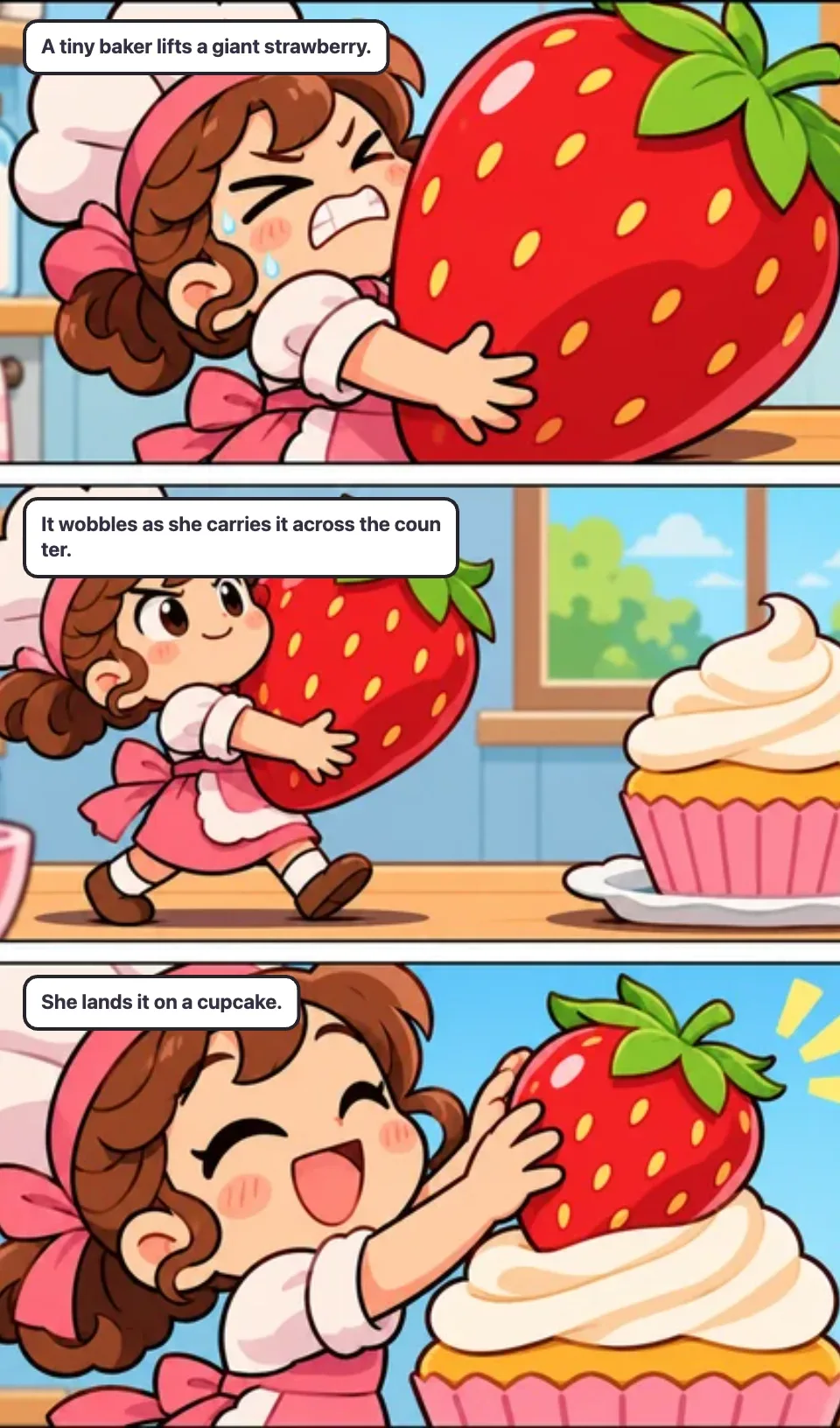
The last strawberry
A tiny baker lifts a giant strawberry. It wobbles as she carries it across the counter. She lands it on a cupcake.
Chibi · Webtoon · 3 pages · Auto lettering · No reference image
Use this story and settings →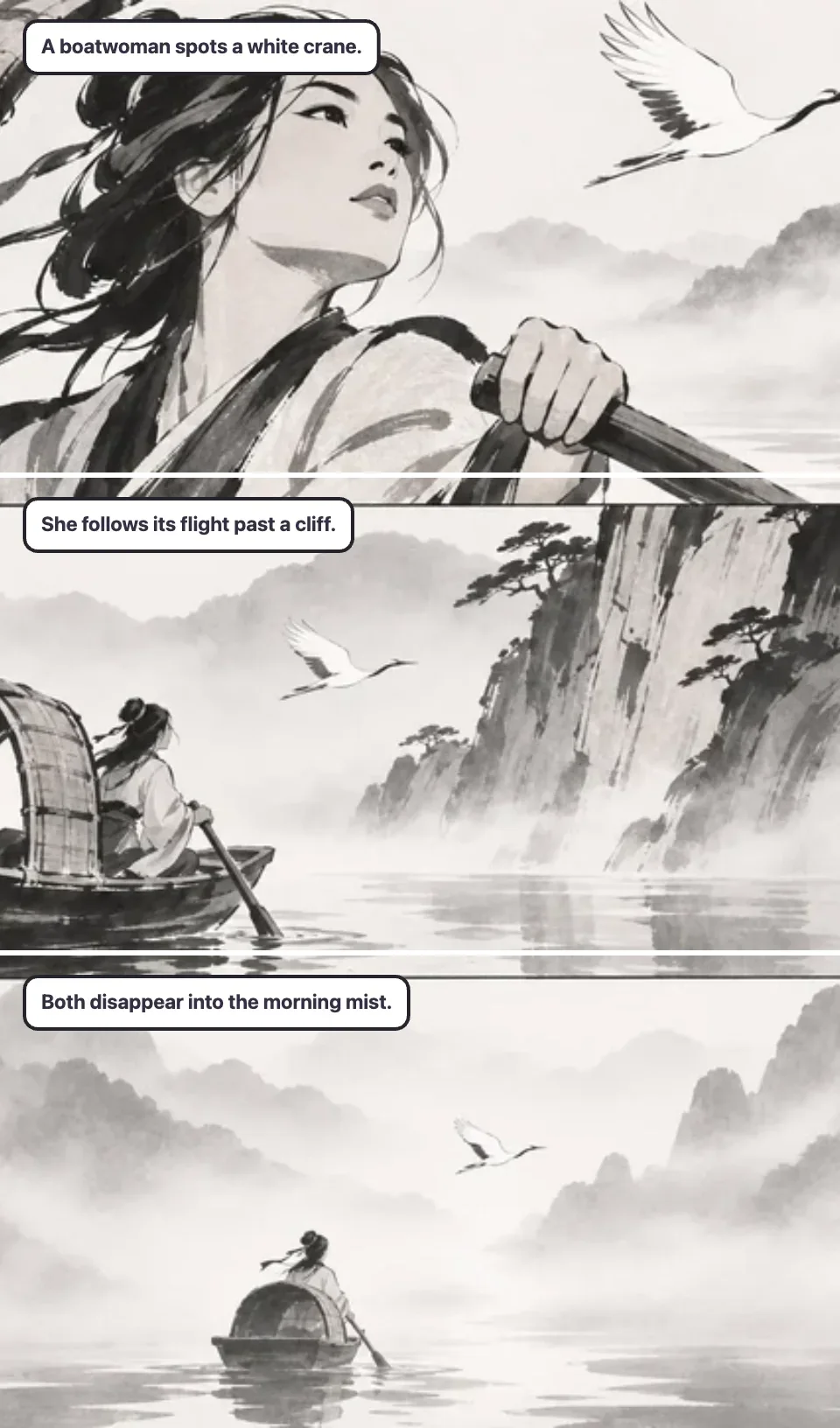
Follow the white crane
A boatwoman spots a white crane. She follows its flight past a cliff. Both disappear into the morning mist.
Ink Wash · Webtoon · 3 pages · Auto lettering · No reference image
Use this story and settings →What will you make with your comic?
Three briefs you can adapt for a series, a social post or a commercial project.

Turn a recurring OC into a series
“Every Friday, my heroine finds a letter at the station. Today it is in her handwriting.” Add her portrait, choose five pages and Shojo for the close-ups. Download the episode, then choose Continue next chapter to pick up the next letter with the same cast.

Share one last shot as a short strip
“The lights go out just as she shoots. In the dark, the net swishes.” Choose Shonen and three Webtoon pages for setup, pause and payoff. Export the strip as a PNG and preview the lettering at phone size before posting.

Tell a shop’s launch story in pictures
“Our flower shop’s first visitor is a cat. It leaves a paw print on the opening-day card.” Try five paged-comic pages and supply your own mascot portrait. Check names and lettering, then use the finished PNG in a newsletter. Commercial projects need rights to the characters, logos and reference art.
How to turn one idea into a comic PNG
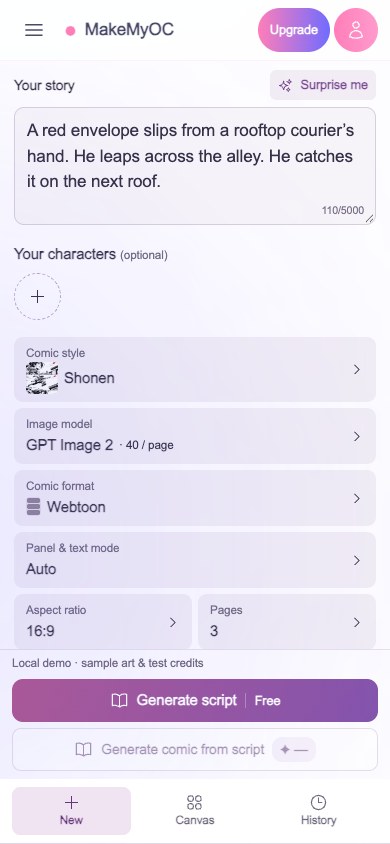
1. Describe the change
On mobile tap New. On desktop use the left panel. Write who acts and what changes, choose a page count, then select Generate script. Auto Style picks a named style from your story.
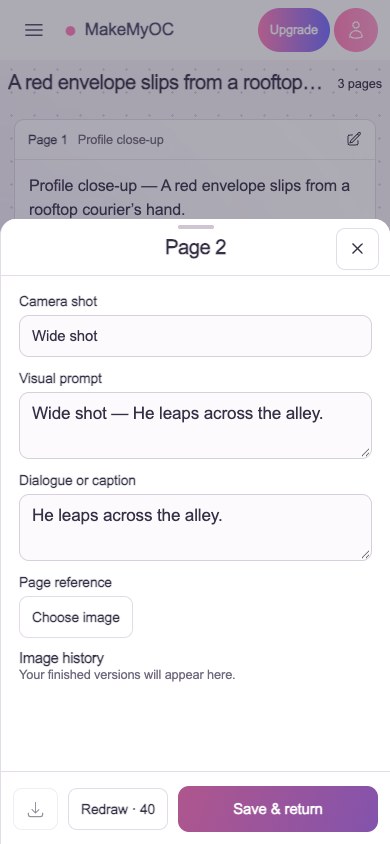
2. Read the script and edit the reveal
Open the page with the reveal. Edit its shot, scene or spoken line and save. You return to that page on the canvas. Review the total on Generate comic from script before drawing.
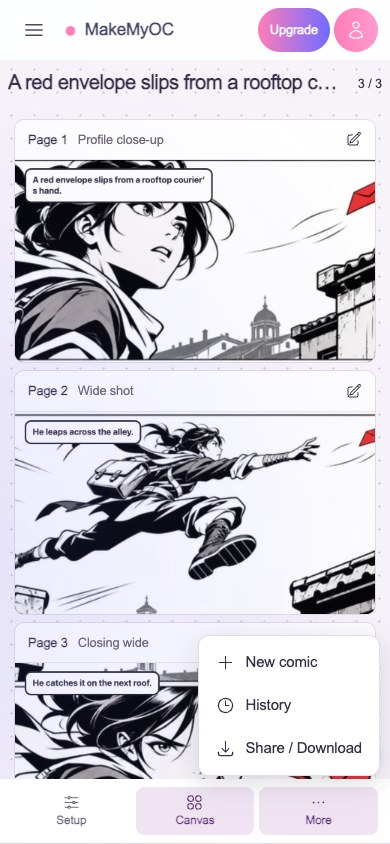
3. Download the finished chapter
Once every page is ready, use Share on desktop or More → Share / Download on mobile. Download full PNG saves the pages in reading order.


How the AI Comic Generator gives you control of each page
Start with a sentence and choose a look
The script turns your idea into shots and dialogue. Auto selects one of 29 named styles when the script is written. Pick Shonen yourself for fast action or Ink Wash for a quiet landscape.
Choose a layout that fits the beat
Webtoon stacks wide shots for scrolling. Paged Comic varies panel sizes for a reveal. Classic 2×2 gives four beats equal weight. Use 3 Rows for a timed pause, or L-Shape for one tall subject beside two reactions. Auto arranges panels and letters the dialogue.
Redraw the page that needs it
Change a line before drawing at no cost. If it is already in the artwork, save the edit and redraw that page. Earlier drawings stay in Image history, and the other pages keep their art.
Bring the same cast into the next chapter
Upload a portrait or select a saved OC. Add a page reference for a particular pose or prop. Use Continue next chapter to carry the cast forward. Save each finished chapter to view it on another device.
What does a finished comic cost?
Write the script free after sign-in. Drawing costs 40 credits per page, or 200 for five pages. Starting from zero, the smallest purchase is $5.00 USD for 1,250 credits.
Subscription Plans
Only one active subscription is allowed at a time.
4 plans to compare
↔ Swipe horizontally or use the arrows to see every plan
Three pages use 120 credits, eight use 320, and redrawing one costs 40. No subscription is required. New accounts receive 10 credits. An eligible free daily check-in adds 60. Together they cover 1 page with 30 credits left.
Prices in USD. Monthly and annual plans renew on their billing cycle. One subscription can be active at a time. Chapter counts use one credit grant and assume no redraws, other spending or check-in rewards. The drawing button quotes only unfinished pages. Compare plans and credit packs
Questions about creating and downloading comics
Do I need to know how to prompt or write a script?
Can I use my comic for a business?
Do I need a character image?
When do I use credits?
How do I read the comic offline?
Where are my chapters saved?
Can I redraw just one page?
Create a character for your next chapter
OC Makers
Choose a tool by character genre.
Superhero OC Generator
Design a costume for a recurring hero.
Genshin OC Maker
Build a fantasy adventurer for a fan comic.
Naruto OC Maker
Create a ninja portrait for your cast.
Murder Drones OC Maker
Make a robot reference for a sci-fi scene.
Sonic OC Maker
Give an animal sidekick its own design.
Turn your idea into a first comic script
Bring one sentence about your character. If you already started a chapter, pick up where you left off.