Create an original hero in the look you imagine with the superhero OC generator. Describe your character, costume, power and art style—from cinematic realism to anime or 3D animation—then choose a model and image settings. Explore a full-body design, portrait or scene for your own story.
✧
Give your hero a face
Describe the character, choose a frame, and generate your first version. Your image will appear here.
Need a starting point? Explore eight styles below.Explore styles ↓
Superhero OC Generator Examples: Find Your Style
Eight original design directions, from screen-like realism to inked comics. Begin your prompt with a style, then make the costume and power your own. These illustrations are inspiration; results vary with the model and settings.
01
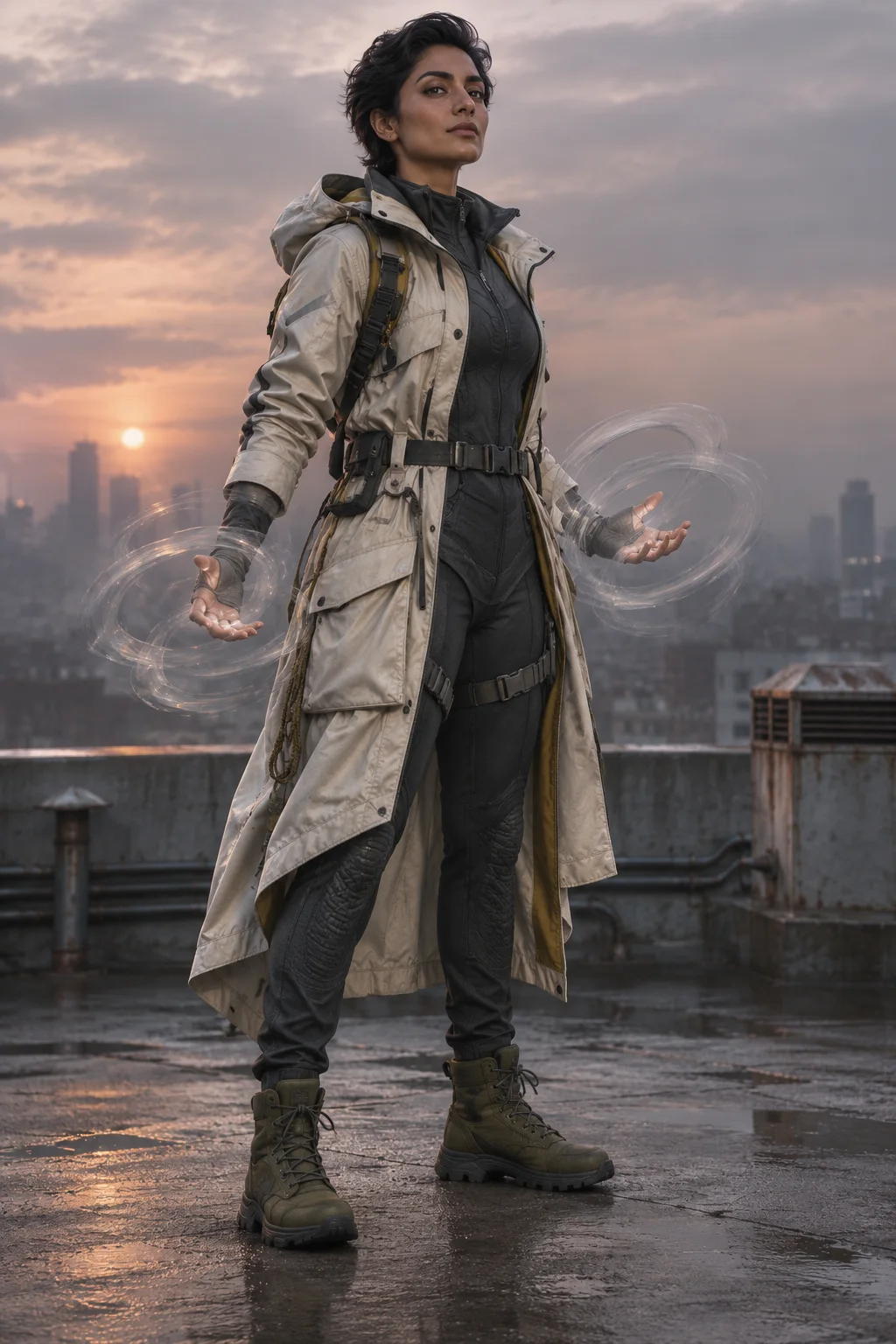
Cinematic Realism
Cinematic realism. An original rescue heroine in an ivory weatherproof coat and graphite suit, with translucent pressure rings around her hands. Full body, dawn rooftop, natural skin and fabric textures.
02
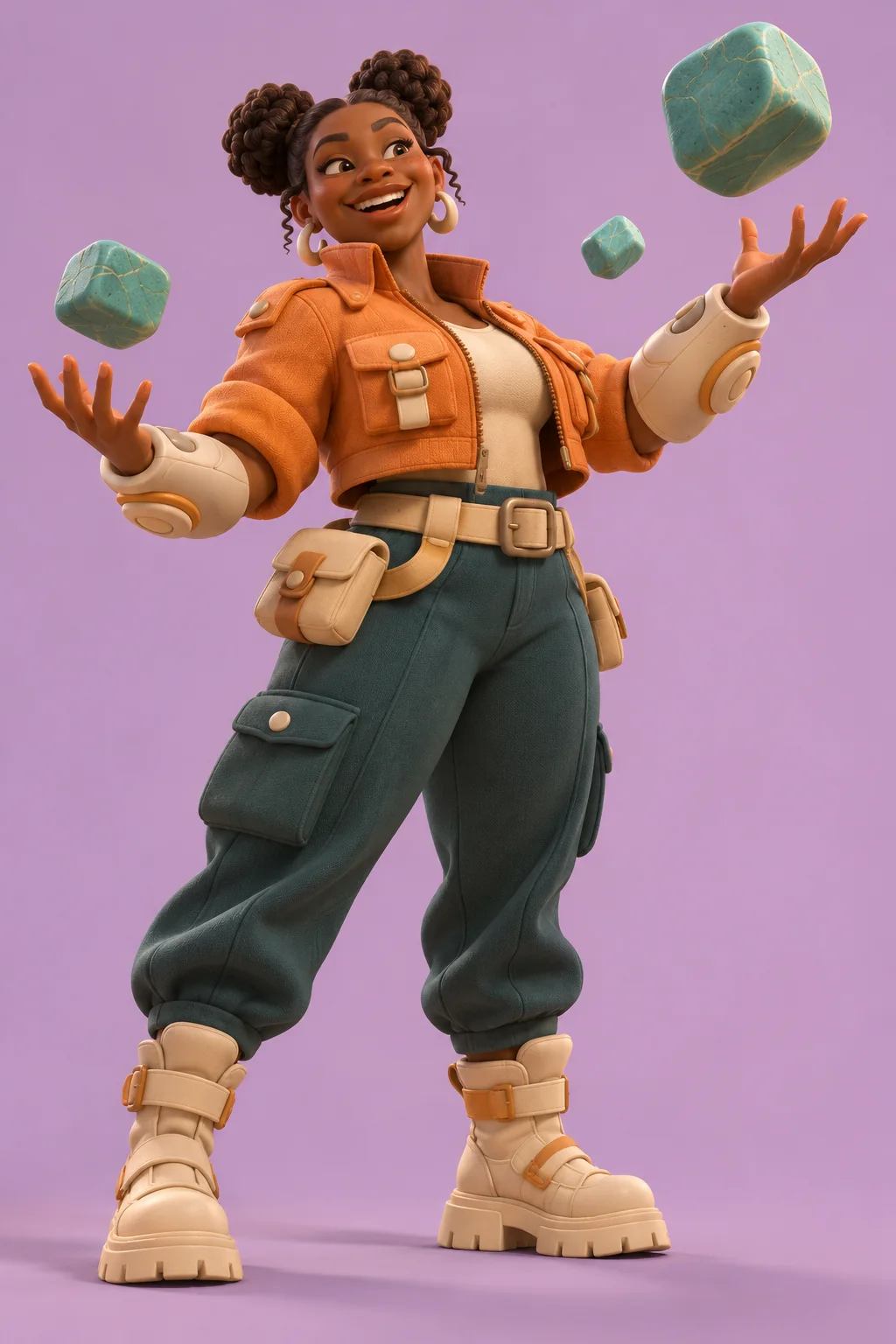
3D Animation
Stylized 3D animation. An original gravity hero in an apricot jacket, cream forearm gear and teal trousers, levitating turquoise stones. Full body, soft lilac backdrop, rounded shapes and soft studio light.
03
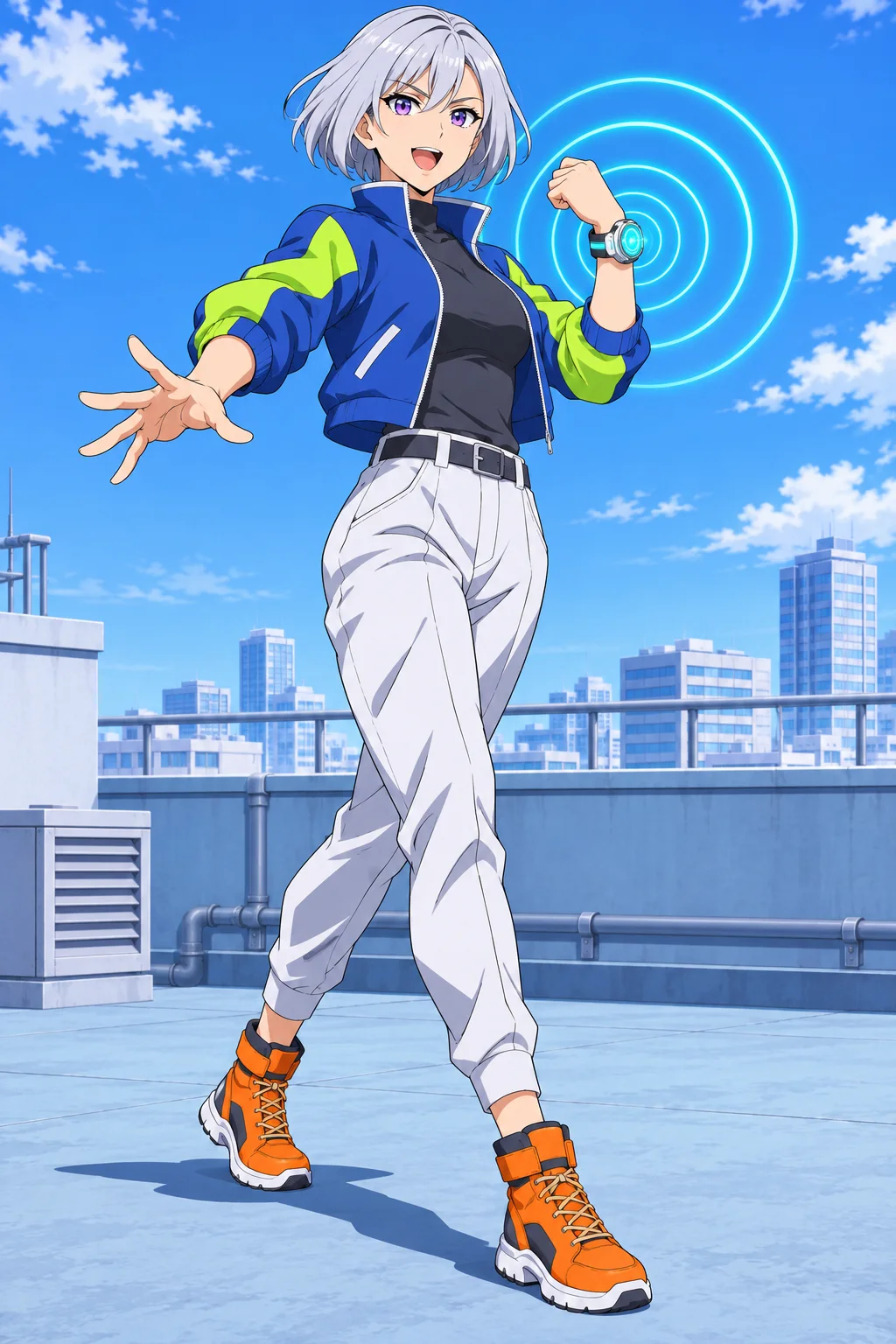
Anime / Cel-Shaded
Anime key visual with crisp cel shading. An original silver-haired sound courier in a cobalt and lime jacket, white trousers and orange boots. Visible sound rings from a wrist device, full-body action pose.
04
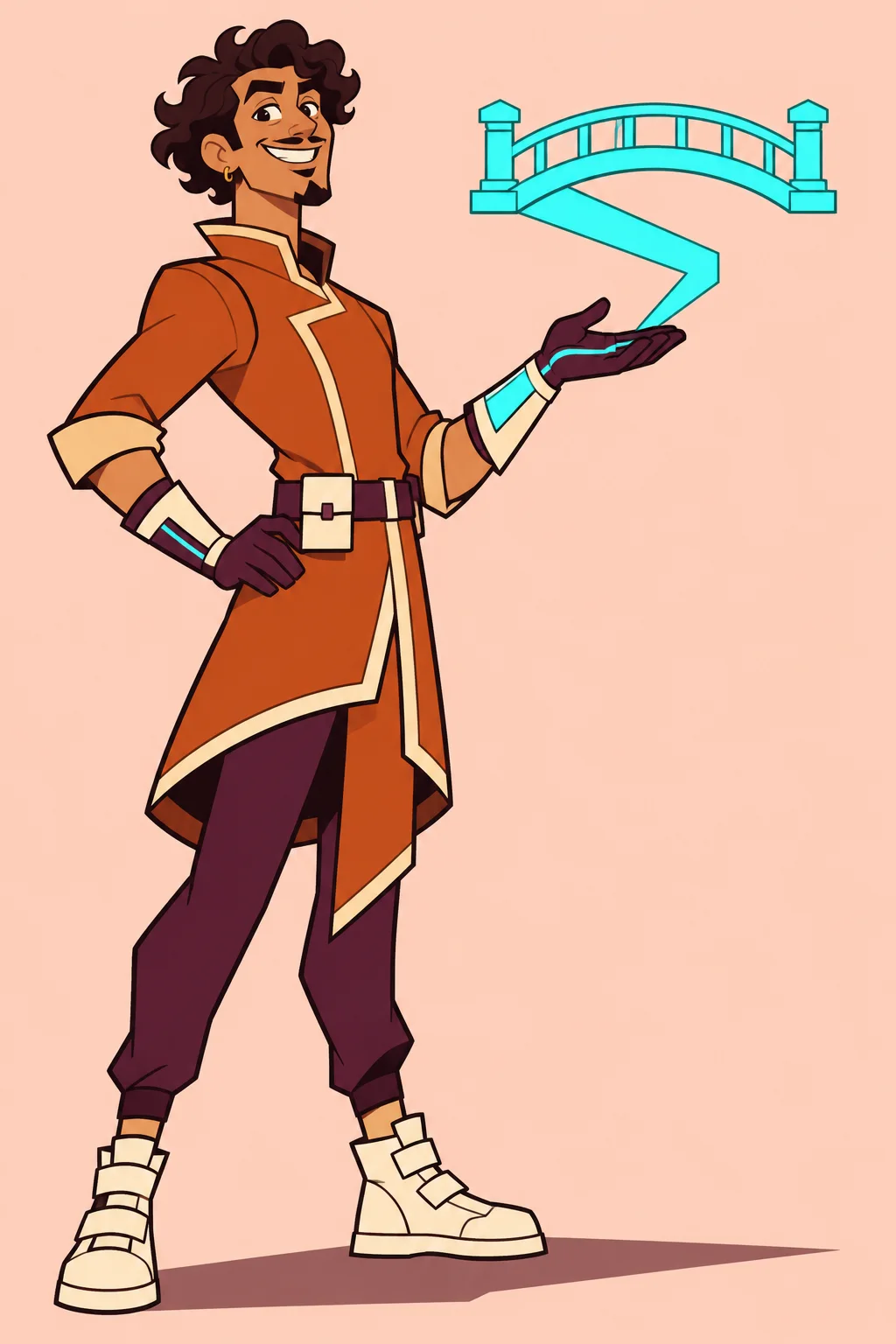
2D Cartoon
2D cartoon with flat colors and bold outlines. An original curly-haired hero in an orange tunic and plum trousers, folding cyan hard light into a small bridge. Full body, simple peach background.
05
Modern Digital Comic
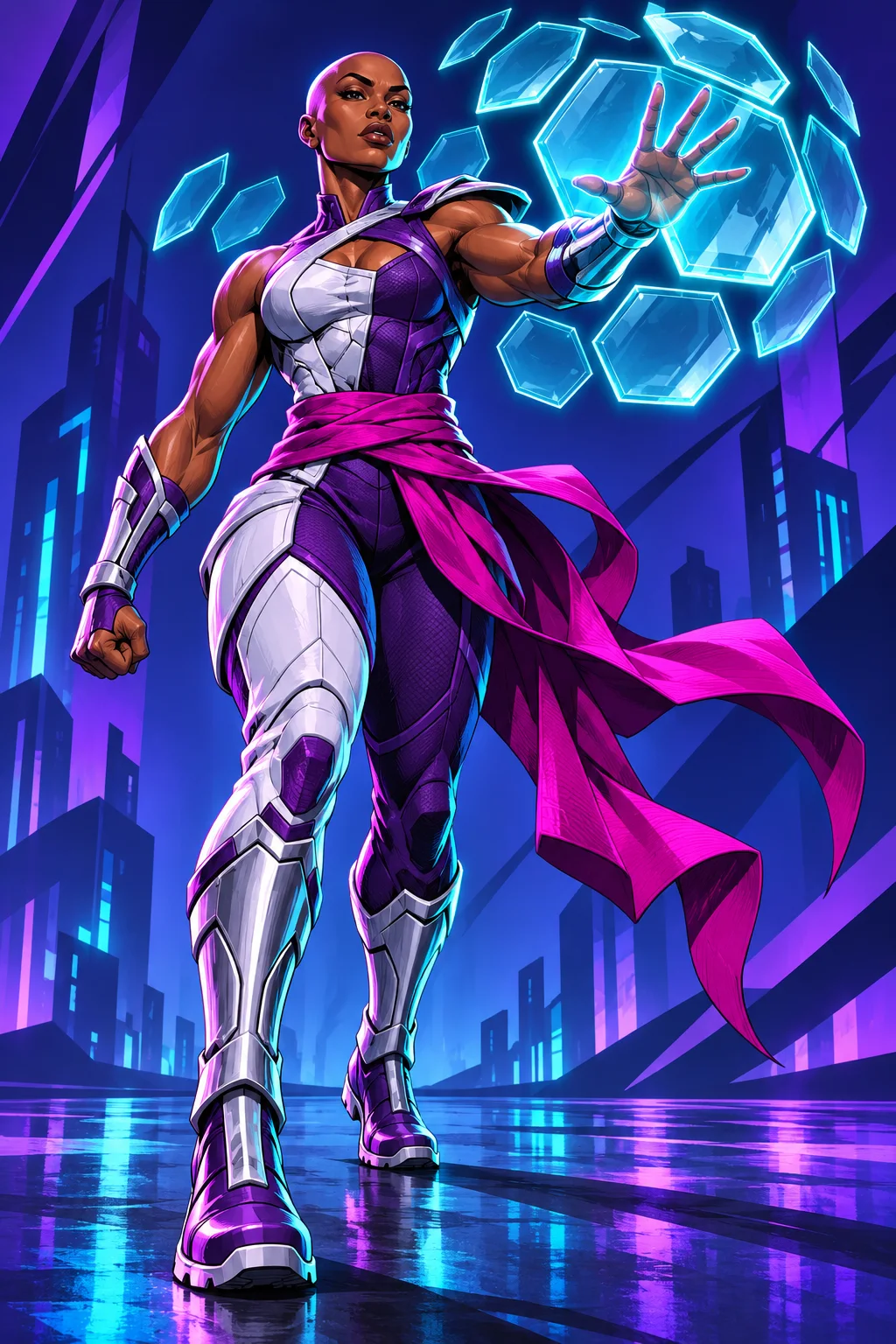
Modern digital comic art, saturated colors and sharp rim light. An original heroine in white and purple armor, forming cyan glass-like shields beside one hand. Full-body forward step, dark indigo city.
06
Painterly Concept Art
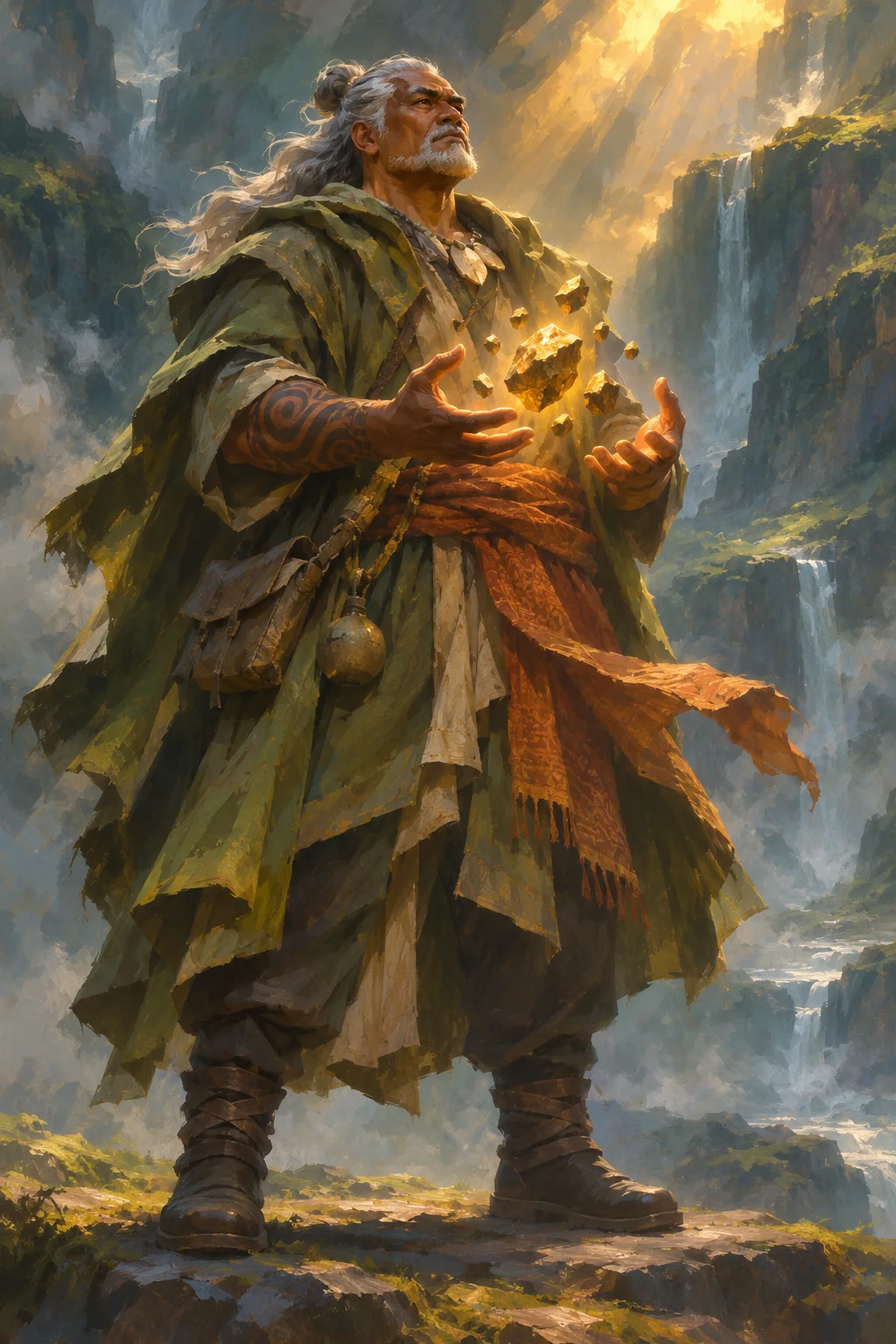
Painterly digital concept art with visible brushwork. An original gray-haired guardian in a moss-green coat and copper sash, levitating golden mineral fragments. Full body, misty canyon, warm sunlight and cool shadows.
07
Black & White Noir
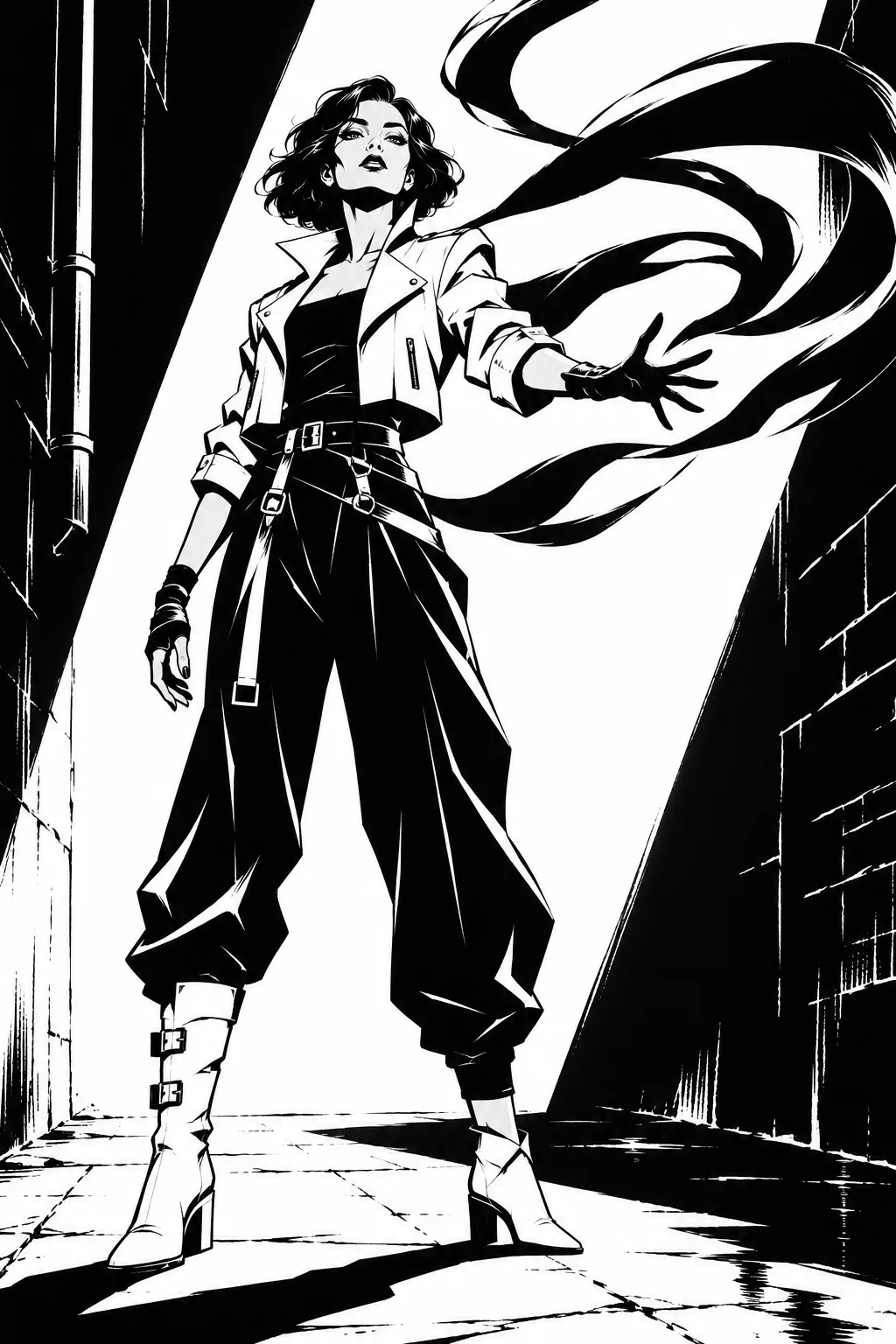
Black-and-white noir art with solid shadows and sharp white light. An original urban heroine in a short white jacket and loose black trousers, shaping shadow ribbons from one hand. Full body, angular alley.
08
Classic Inked Comic
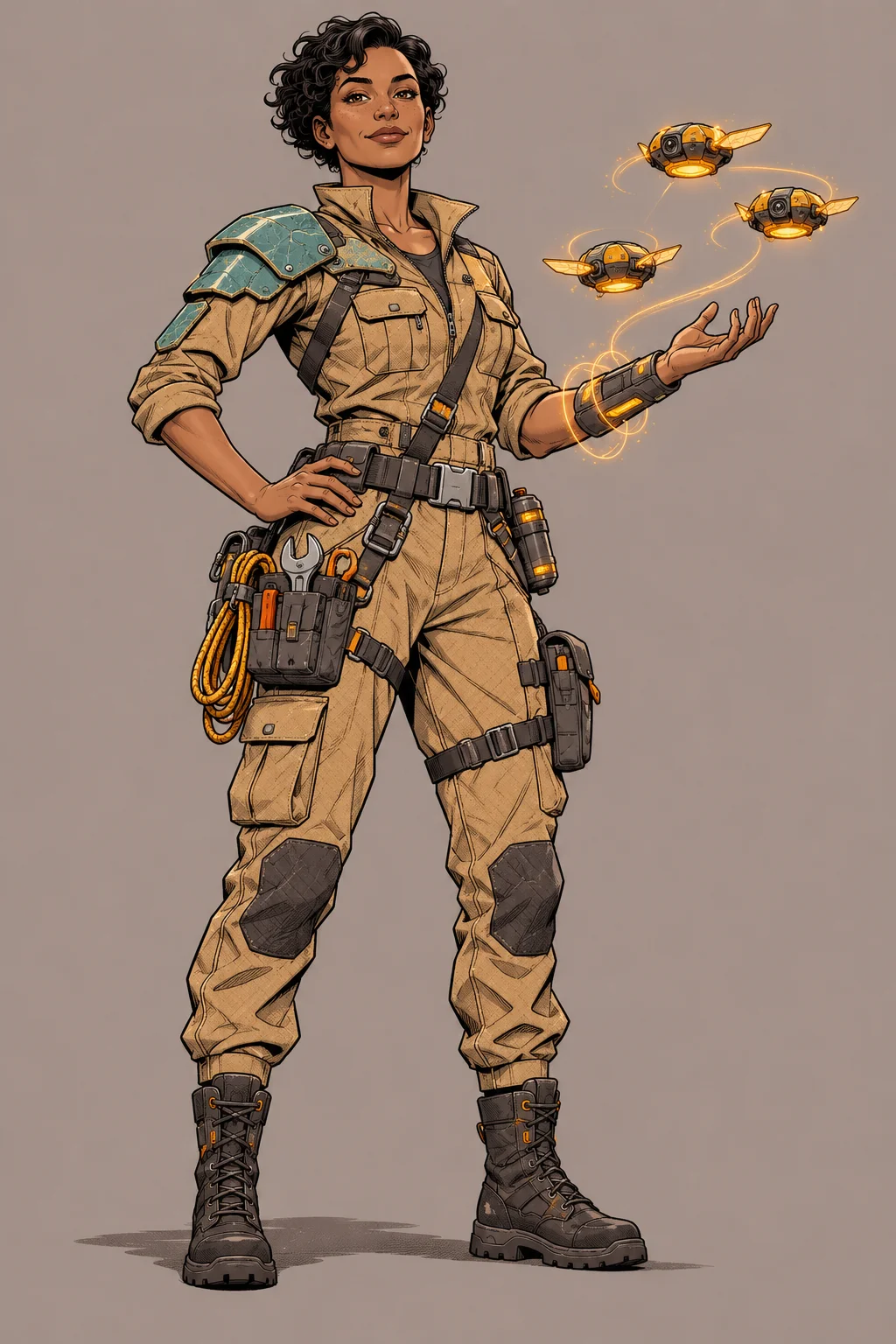
Classic inked comic illustration. An original rescue engineer in a sand-colored utility suit, teal shoulder panels and charcoal boots, with three small amber drones beside one forearm. Full body, warm-gray background.
How to Create Your Superhero OC
Begin with one character and one clear visual idea. You can use the same generator controls as the other OC tools, with a superhero direction already built in.
01
Describe your hero
Begin with an art style, then describe the hero, outfit and visible ability. For example: “anime-style sound courier in a cobalt jacket, with glowing sound rings around one wrist.”
02
Choose your image settings
Select a model, then pick from its available aspect ratios and resolutions. A tall frame gives boots, equipment and posture more space. A square frame can work for a portrait. Available controls depend on the selected model.
03
Generate and inspect
Generate the image, then compare the face, costume and power effect with your description. Check the whole silhouette before focusing on small details. Use the result controls to download a version you want to keep.
04
Refine the next version
Keep the details you like in the prompt and change one part, such as sleeve color or pose. Generate again to explore the revision. A fresh generation can also change details you did not ask to change.
Set Up Your Hero in the Generator
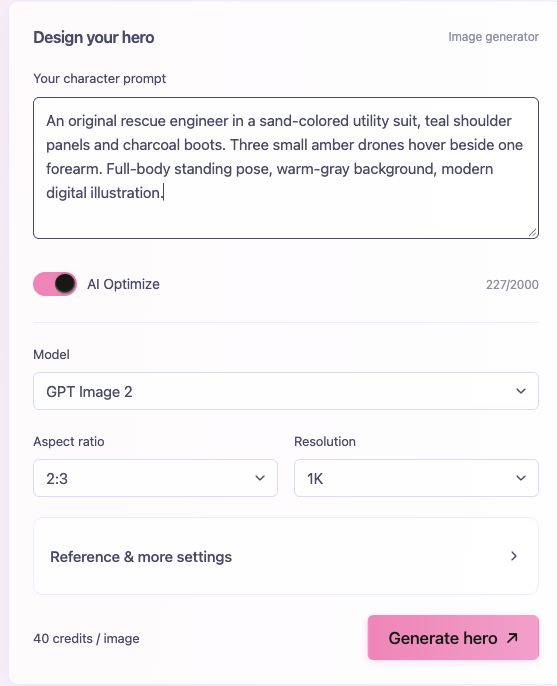
Here is the generator with a rescue-engineer description entered. Start with your own description, then choose the settings underneath it.
Your prompt stays editable
Put the outfit and visible power effect in the main prompt box. You can revise the text before your next generation.
Check the model and frame
The image shows GPT Image 2, a tall 2:3 frame and 1K resolution. Select the options that suit your idea; available settings depend on the model.
Build a Hero Prompt in Four Parts
Start with the look you want, then describe the person, their power and the frame. You do not need a long biography to explore a visual design.
01
Art style
Name the medium first so the intended finish is clear.
Stylized 3D animation, soft studio lighting
02
Hero + outfit
Give the role and assign colors to specific clothes.
Gravity rescuer, apricot jacket, teal trousers
03
Visible power
Describe what the viewer can see and where it appears.
Three turquoise stones floating beside her hands
04
Pose + frame
Say how much of the character and setting to show.
Full-body standing pose, simple lilac background
Put it together
Stylized 3D animation with soft studio lighting. An original gravity rescuer wearing an apricot jacket, cream forearm gear and teal trousers. Three turquoise stones float beside her open hands. Full-body standing pose with both boots visible, simple lilac background.
Keep the four-part structure and swap in your own idea. The style belongs in the prompt; image settings still control the available shape and resolution.
Not the Look You Wanted? Change One Thing
Choose the main mismatch, keep the details you like, and make one focused change for your next generation.
The style feels wrong
Change: Replace conflicting style words with one clear medium.
Try this in your prompt
Live-action cinematic realism, natural skin and woven fabric, no ink outlines
The power is hard to read
Change: Specify one visible effect, its location and its size.
Try this in your prompt
Three small cyan rings around the left wrist; keep the face unobstructed
The colors drift or mix
Change: Assign each color to a garment and simplify competing details.
Try this in your prompt
Ivory jacket, graphite trousers, olive boots; no other bright costume colors
The feet or equipment are cropped
Change: Ask for a wider view and choose a tall supported aspect ratio.
Try this in your prompt
Head-to-toe view, both boots fully visible, extra space above the head and below the feet
These are directions to try, not guaranteed fixes. A new generation can change other details too; keep the prompt and image you liked as your starting point.
Questions About Creating a Superhero OC
It creates an image from your character description, with an original superhero direction built into the prompt. Use it to explore a costume, a character portrait or a full-body concept. It does not automatically write a complete biography, name or comic story.
You describe the costume in your prompt and choose image settings. This is an AI image generator, rather than a dress-up editor with fixed hair, mask and clothing pieces. Describe the particular parts and colors you want to explore.
Yes. Describe the medium in your prompt, such as cinematic realism, stylized 3D animation, anime, 2D cartoon or painterly concept art. The superhero theme does not lock you to one look. Models interpret style requests differently, so use the examples as starting directions.
Describe its appearance, position and scale. “Small golden platforms beside the boots” gives a visible action; “can create paths” leaves more open to interpretation. Keep the face and costume visible when describing large effects.
Yes. State the outfit and face details directly. A utility jacket, protective gloves, an open face and a distinctive piece of equipment can communicate a hero role without a cape or mask.
Try a tall aspect ratio for a full-body costume concept, square for an avatar and a wide frame for a scene. Choose from the ratios supported by your selected model, and describe the framing in your prompt as well.
Not necessarily. Reusing a prompt can preserve your intended design direction, but separate generations can vary. Where the selected model supports a reference image, you can supply one you have permission to use; it still does not guarantee identical details.