CRK OC Maker
Choose a dough and a kingdom job, add your signature detail, and generate your Cookie from this recipe.
Cookie recipe book
Three original character studies pair a flavor with a job. Look at what happens to the outline, not just the palette.
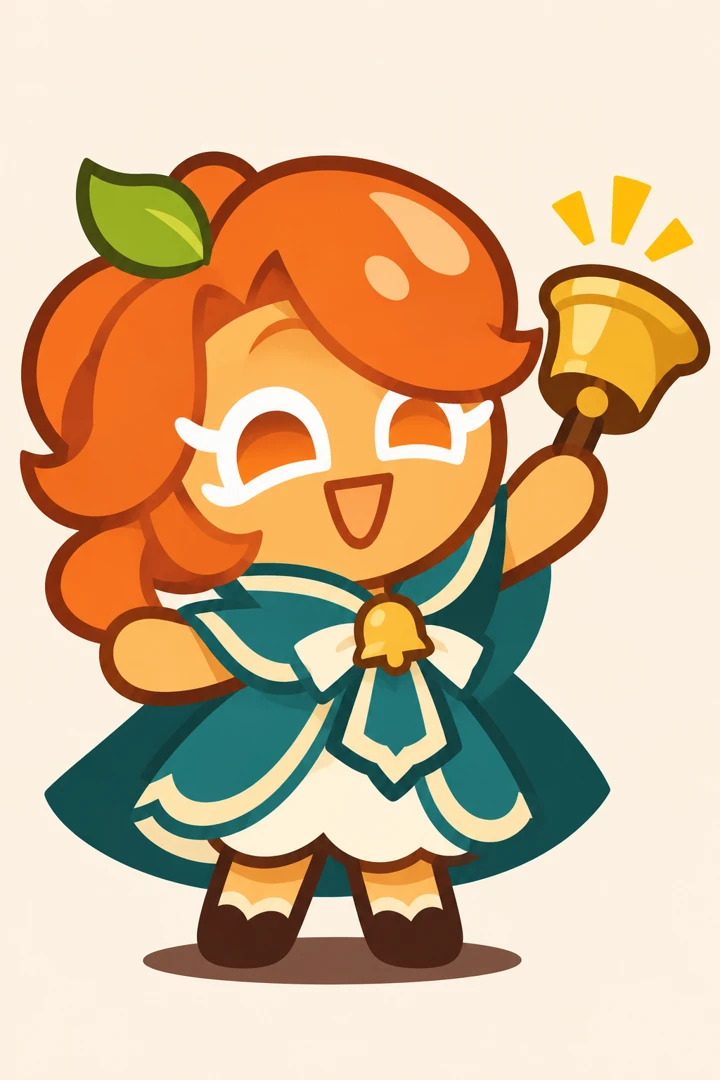
Apricot Bell Cookie
Apricot jam × bell keeper. The orange sweep and single leaf identify the ingredient before the bell tells you the job. Try this combination for a village messenger or a bakery mascot.
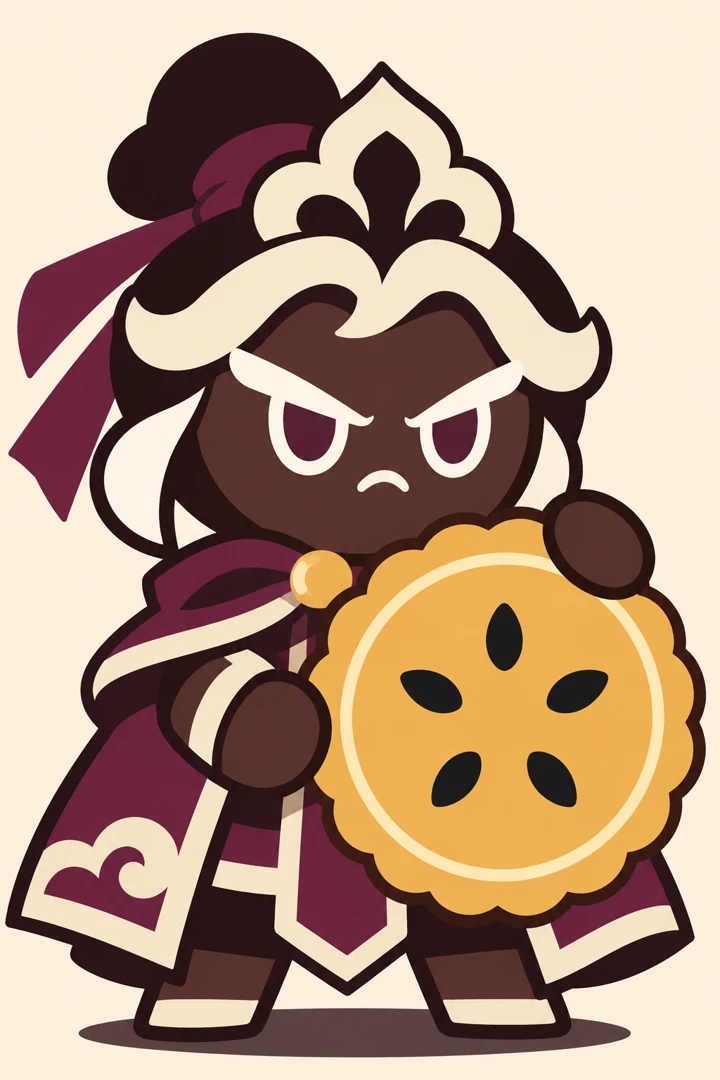
Black Sesame Gatekeeper
Black sesame × gatekeeper. Ivory icing separates the fringe from the dark dough. The round shield gives the guard a broad, planted outline that reads even at avatar size.
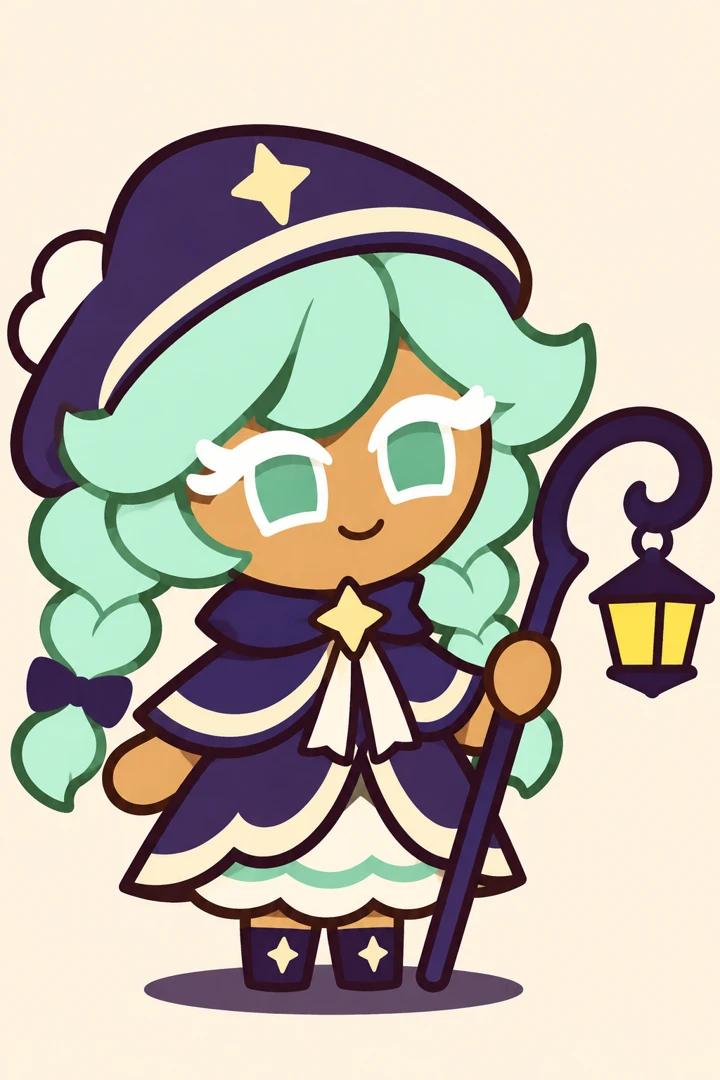
Mint Lantern Cookie
Mint cream × night guide. Two mint braids repeat the curve of the lantern staff. Keep the icing in broad, smooth bands so the tiny yellow lamp stays the focus.
How to draw a kingdom Cookie
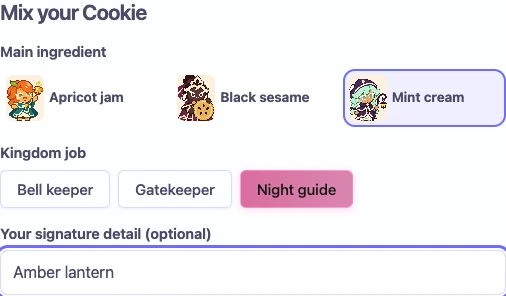
1. Pick the ingredient and job
Start with a flavor for the face and hair. Pick a kingdom job for the object in the Cookie’s hand. For a mint guard, choose Mint cream and Gatekeeper together.
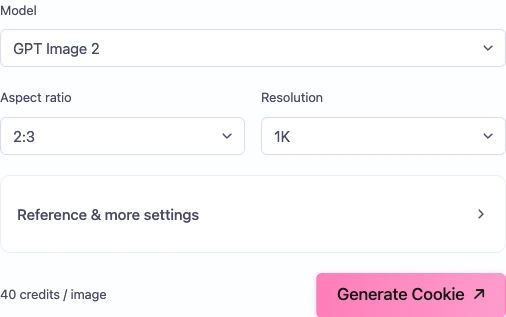
2. Set the frame and check the cost
Add a small personal mark in Your signature detail. Choose a model and frame. The amount beside Generate Cookie is the price of that image with your current settings.
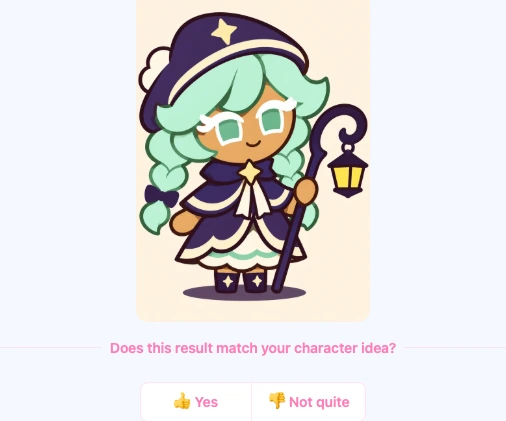
3. Generate and collect the result
Press Generate Cookie once. The example beside the form gives way to progress and then to your result. Open the finished picture to inspect the icing edge and the prop. The result screenshot uses an original sample to demonstrate the controls.
When the Cookie looks like a person
| What you see | What to change | Try this wording |
|---|---|---|
| It looks like a person in costume | Move the cookie body description to the beginning. Name the exposed dough and the short baked limbs before you describe the uniform. | Toasted biscuit face, icing eyes, rounded dough hands |
| Everything is the same shade | Keep one color for the flavor and another for the job. Give the prop an edge that stands apart from the outfit. | Orange jam hair, dark teal cape, bright brass bell |
| The topping hides the expression | Describe where the icing ends and which features stay uncovered. Simplify a crowded headpiece before changing the whole character. | One frosting sweep above the left eye, both eyes visible |
CRK OC Maker Questions
CRK is short for Cookie Run: Kingdom. Here you can make an original fan character illustration inspired by its food-themed world. Give your Cookie a flavor, a job and one detail that belongs to your own story.
Yes. Select Mint cream and Gatekeeper in the form. The mint braids stay while the night guide’s lantern becomes a round shield. Use Your signature detail to specify the palette, pose or accessory before you generate.
Write a role such as healer or defender in the prompt and describe its visible effect. A defender holding a caramel shield gives the drawing a clearer direction than the word “Epic” alone.
When the selected model offers reference images, attach a sketch you can use and describe the features you want to carry over. Check the reference controls for that model before preparing extra files.
The output is fan artwork you can use for a character profile or a story illustration. MakeMyOC is independent of Devsisters. The picture does not add a playable Cookie to your kingdom.
Mixing ingredients and changing jobs only edits the recipe text. Choose a model and read the credit amount beside the image generation button before submitting. Changing the model or resolution can change the amount shown. Check it again before submitting a revision.